

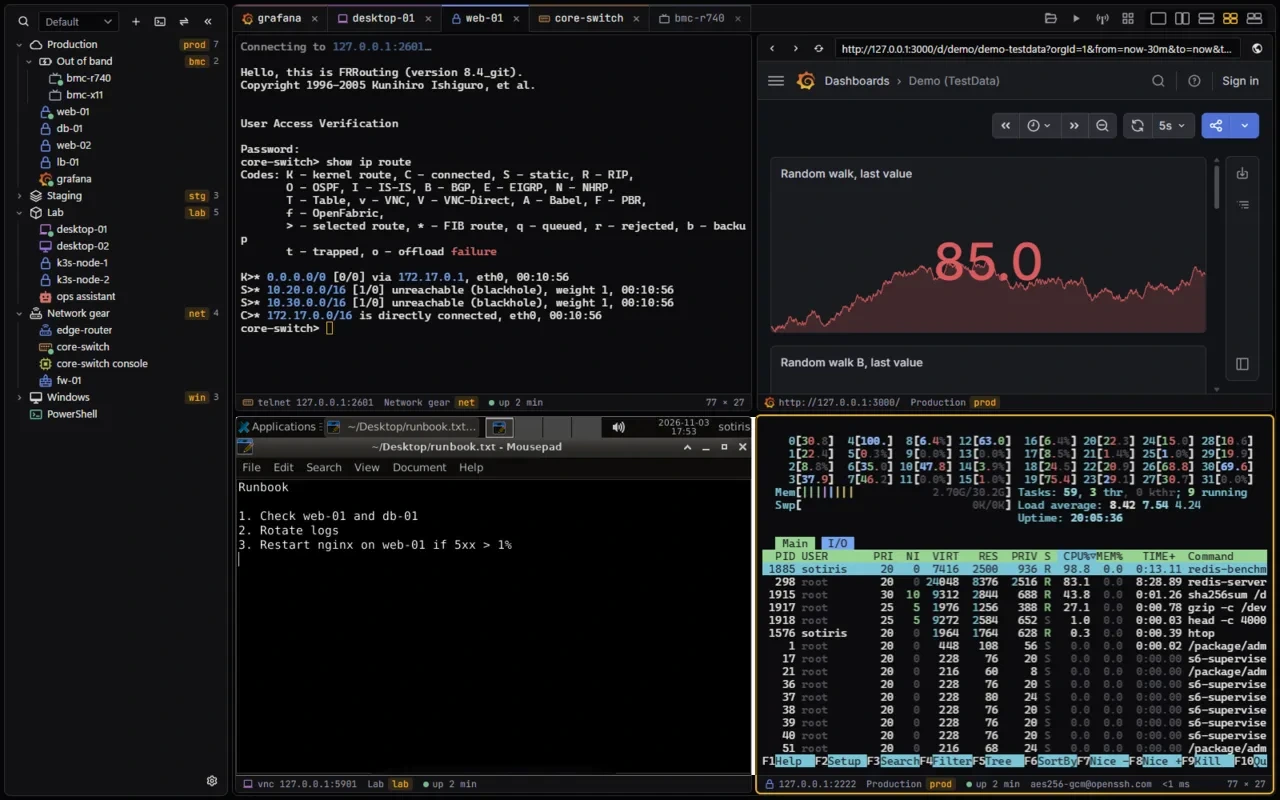
xtermium is a terminal with a session manager. Your SSH, RDP, VNC, telnet, serial, WinRM, website and BMC sessions live in one sidebar and open side by side, in one window.


Homepage · Docs · Screens · Download · Source
- One window, not ten programs. SSH here, RDP there, a VNC viewer, telnet for the switch, a browser for the console page: xtermium opens them all as tabs and split panes, and types into many at once.
- Your logins stay locked. Everything on disk is encrypted with a key in your OS keychain. A recovery passphrase brings it back on a new computer.
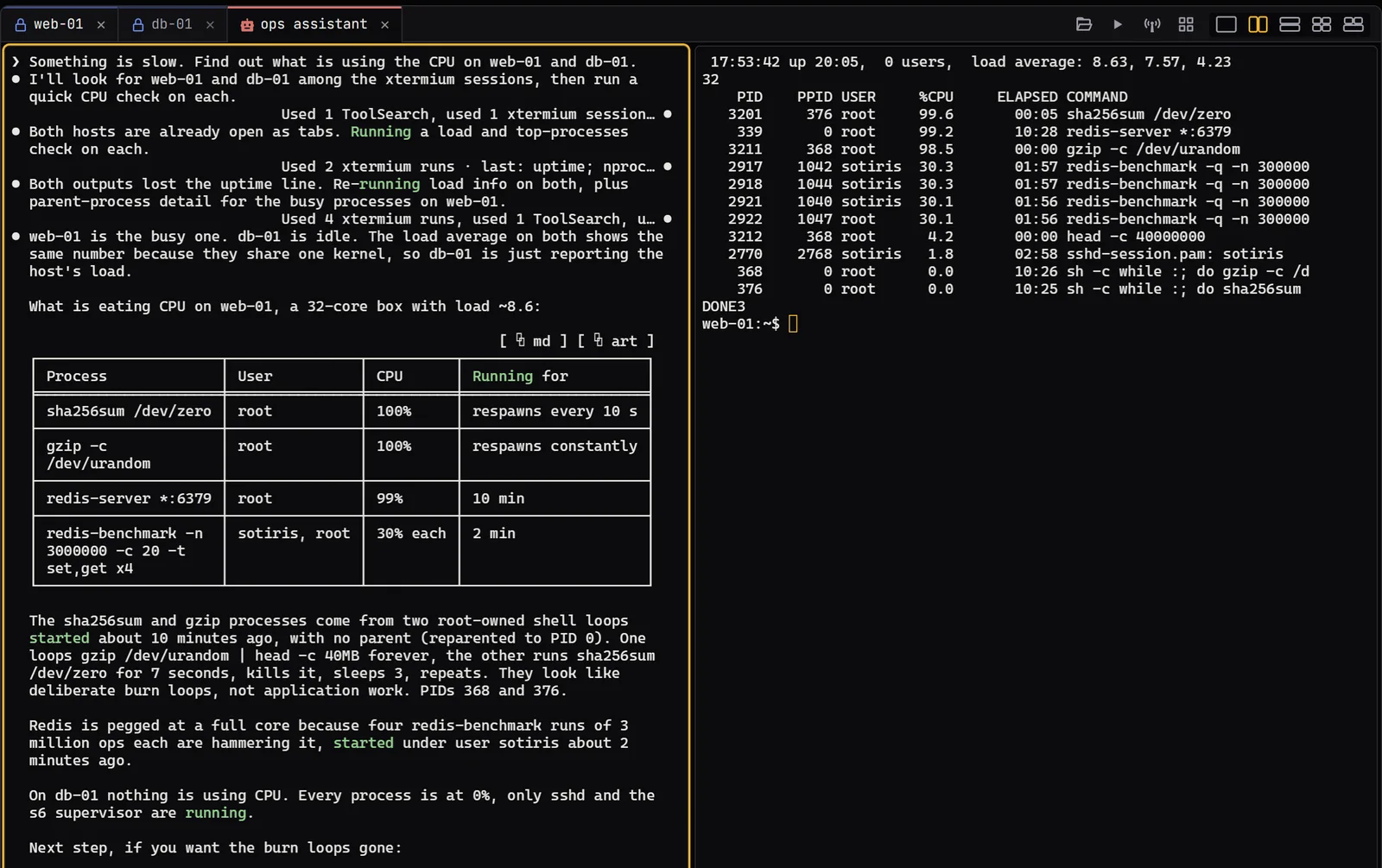
- An agent can use it too. AI assistants and scripts open sessions, run commands and read the output through the same tools you use, without ever seeing a password.
Windows (x64):
irm https://xtermium.com/install.ps1 | iexOr with Scoop:
scoop bucket add xtermium https://github.com/xtermium/scoop
scoop install xtermium/xtermium
Linux (x64) and macOS (Apple silicon and Intel):
curl -fsSL https://xtermium.com/install.sh | shBoth scripts check each download against its sha256 before installing anything. The latest release has every file to download by hand (.exe, .msi, portable .zip, .deb, .rpm, .AppImage, .dmg). The macOS app isn't signed yet: Installation › macOS says how to open it. Nightly builds carry what the next release will.
Every feature is free except two that need Pro, a hosted service: sync and Terminal Co-op.
- Connections: SSH with keys, your agent and jump hosts, telnet, serial ports, the local shell and WinRM, each coming back by itself where it can.
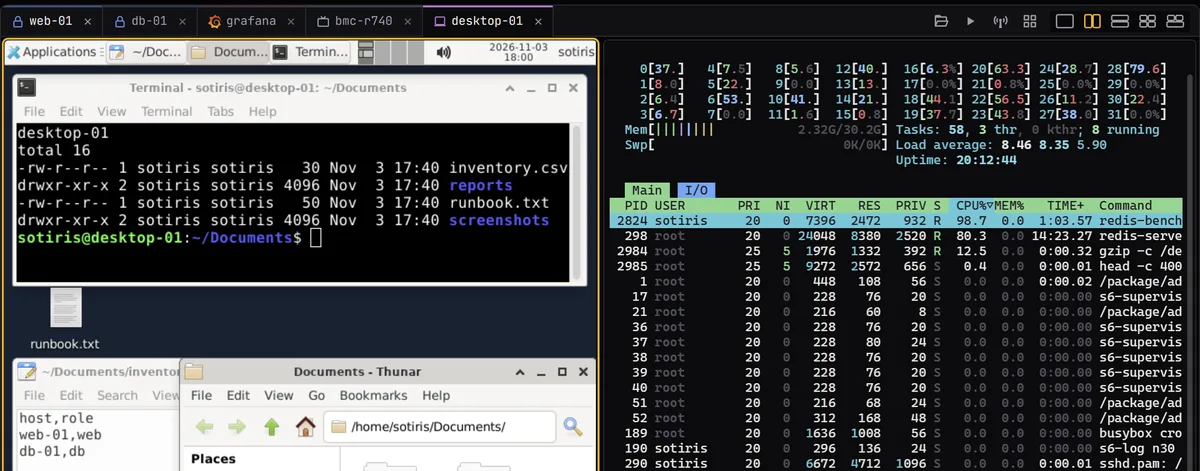
- Remote desktops: RDP and VNC in a tab, with the host's files beside them (shared folders over RDP, SFTP over VNC).
- Websites and BMC consoles in your browser or in a tab, each website with its own cookies and sign-ins.
- Sessions and workspaces: a folder tree, shared logins with an SSH gateway, workspaces, snippets, and import from MobaXterm or an OpenSSH config.
- Tabs and panes: split panes for any kind of tab, broadcast, saved layouts, a tab in its own window.
- In a terminal: find, pictures, a status bar, highlight rules, logging, and Open in VS Code.
- Files over SFTP and SMB, and tunnels (local, remote, SOCKS5) with their traffic live.
- Keeping it safe: encrypted on disk, a lock, host keys you trust once, restore points, your SSH keys.
- Agents and scripts: Claude Code, Codex and omp in tabs with their session history and a prompt per workspace, an MCP server and the
xtermiumcommand line. - Looks: themes, colour schemes, fonts, backgrounds, your own shortcuts, 13 languages and
custom.css. - Sync (Pro, not open yet): end-to-end encrypted, on every computer you sign in on.
- Terminal Co-op (Pro): share tabs with up to two other people, straight between your computers.
The wiki has the detail:
- Installation: every system, the first start, updates, nightly builds
- Usage: sessions, tabs and panes, the terminal, remote desktops, websites, files, tunnels, sync, Terminal Co-op
- Security: what's stored where and how, the lock, restore points
- AI agents: agent sessions, the MCP server, the command line
- Customization: looks, shortcuts, language, behaviour
- Development: building, the code's layout, the checks
Something wrong? Settings › Troubleshoot makes a bundle to send to support@xtermium.com, or open an issue.
You need Rust and Node.js; then npm install and npm run tauri build. Development has the requirements, the layout of the code and the checks, and CONTRIBUTING.md how changes get in.
xtermium is licensed under the Apache License 2.0 (LICENSE). Copyright © 2026 Sotirios Roussis. You may use, change, rename and share it, commercially or not. Every copy and fork must keep LICENSE and the credit in NOTICE, and a fork that shows credits must show that one among them.
The cloud sync server is not part of this repository. It is proprietary, and so is the hosted sync service. The client in this repository talks to it through the open API in docs/sync.md. "xtermium" and its logo are trademarks of the author, and forks must use another name.
Third-party parts keep their own licenses, quoted in full in THIRD-PARTY-NOTICES.txt; the installers carry it next to LICENSE and NOTICE, and Settings › About opens it. npm run notices rewrites it (it needs cargo install --locked cargo-about --features cli), and every release build does. Icons: Boxicons (MIT, assets/icons/LICENSE-boxicons). Type: JetBrains Mono (SIL Open Font License, bundled from @fontsource-variable/jetbrains-mono; the README's hero embeds it in assets/readme/hero.svg). Built on Tauri, Svelte, wezterm-term, russh, russh-sftp, IronRDP, portable-pty and serialport. Logo, logo animations, colours and the design system by dehawk.
Star it if it saves you a window.