
High Quality Terminal UI for TypeScript
btop-grade dashboards with a one-import API, dark by default, zero runtime dependencies.

Every screenshot on this page is a real frame from hqtui-demo, captured at 2x.
Terminal apps do not have to look like 1990s ncurses software. HQTUI owns the terminal directly — ANSI/VT sequences, a typed-array framebuffer, differential rendering, Braille graphics and truecolor — so a dashboard written in TypeScript can look and feel like a modern desktop app while starting instantly and running fine over SSH.
No ncurses. No browser DOM. No React. No native addon. No network access. Ever.
bun add @profullstack/hqtui     # Bun is the default runtime
npm add @profullstack/hqtui # Node 22.6+ works tooimport { createApp } from "@profullstack/hqtui";
const app = await createApp();
app.render(({ ui }) => {
ui.panel({ title: "Hello" }, (panel) => {
panel.text("Hello, terminal.");
});
});
await app.start();That is the whole API surface you need to start. createApp() already gives you a dark
theme, truecolor with automatic 256/16-colour fallback, mouse tracking, the alternate
screen, resize handling, 30fps adaptive rendering (15 over SSH), and a terminal that is
restored no matter how the process dies — Ctrl+C, SIGTERM, or an uncaught exception.
import { createApp } from "@profullstack/hqtui";

const app = await createApp({ fps: 30 });

app.render(({ ui, theme }) => {
  ui.grid({ columns: ["2fr", "1fr"], rows: [14, "1fr"], gap: 1 }, (grid) => {
    grid.panel({ title: "CPU" }, (p) => {
      p.graph({ values: cpuHistory, min: 0, max: 100, fill: true });
      p.meters(cores.map((value, i) => ({ label: `P${i}`, value })), { columns: 2 });
    });

    grid.panel({ title: "Memory" }, (p) => {
      p.meter({ label: "Used", value: 0.42, text: "6.7 GiB" });
      p.keyValues([{ label: "Cached", value: "4.0 GiB" }]);
    });

    grid.panel({ title: "Processes", colSpan: 2 }, (p) => {
      p.table({
        rows: processes,
        columns: [
          { key: "pid", title: "PID", width: 7, align: "right" },
          { key: "name", title: "Name" },
          { key: "cpu", title: "CPU%", width: 6, align: "right" },
        ],
      });
    });
  });
});

await app.start();bunx @profullstack/hqtui-demo # your real machine
bunx @profullstack/hqtui-demo --sim # deterministic simulationTen screens. Real metrics on Linux, macOS and Windows, with no native dependencies.
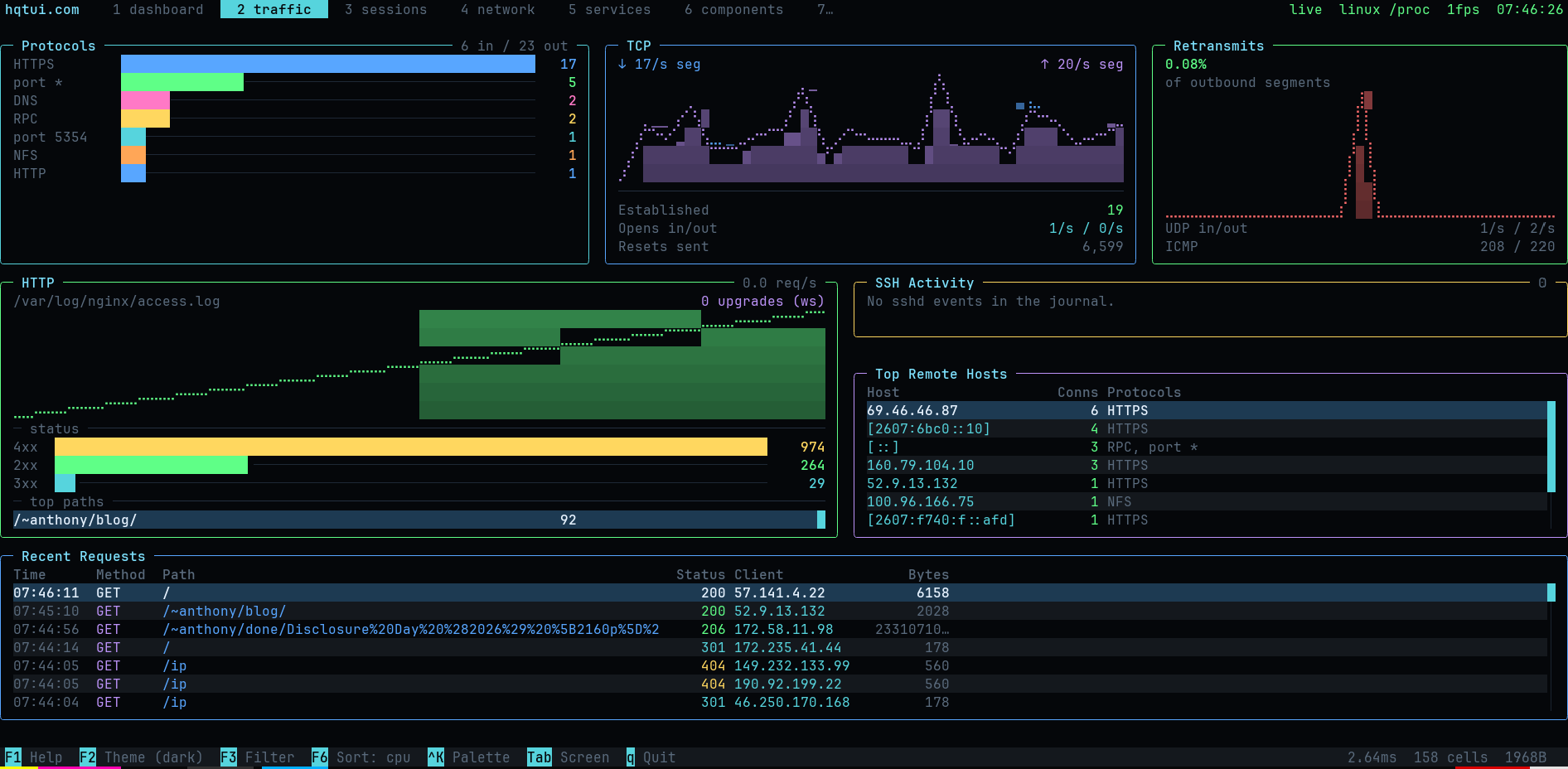
Live sockets grouped by protocol, TCP/UDP/ICMP counters with retransmit rate, HTTP request tracking parsed from nginx/apache access logs (req/s, status mix, top paths, WebSocket upgrades), and sshd authentication events from the journal.
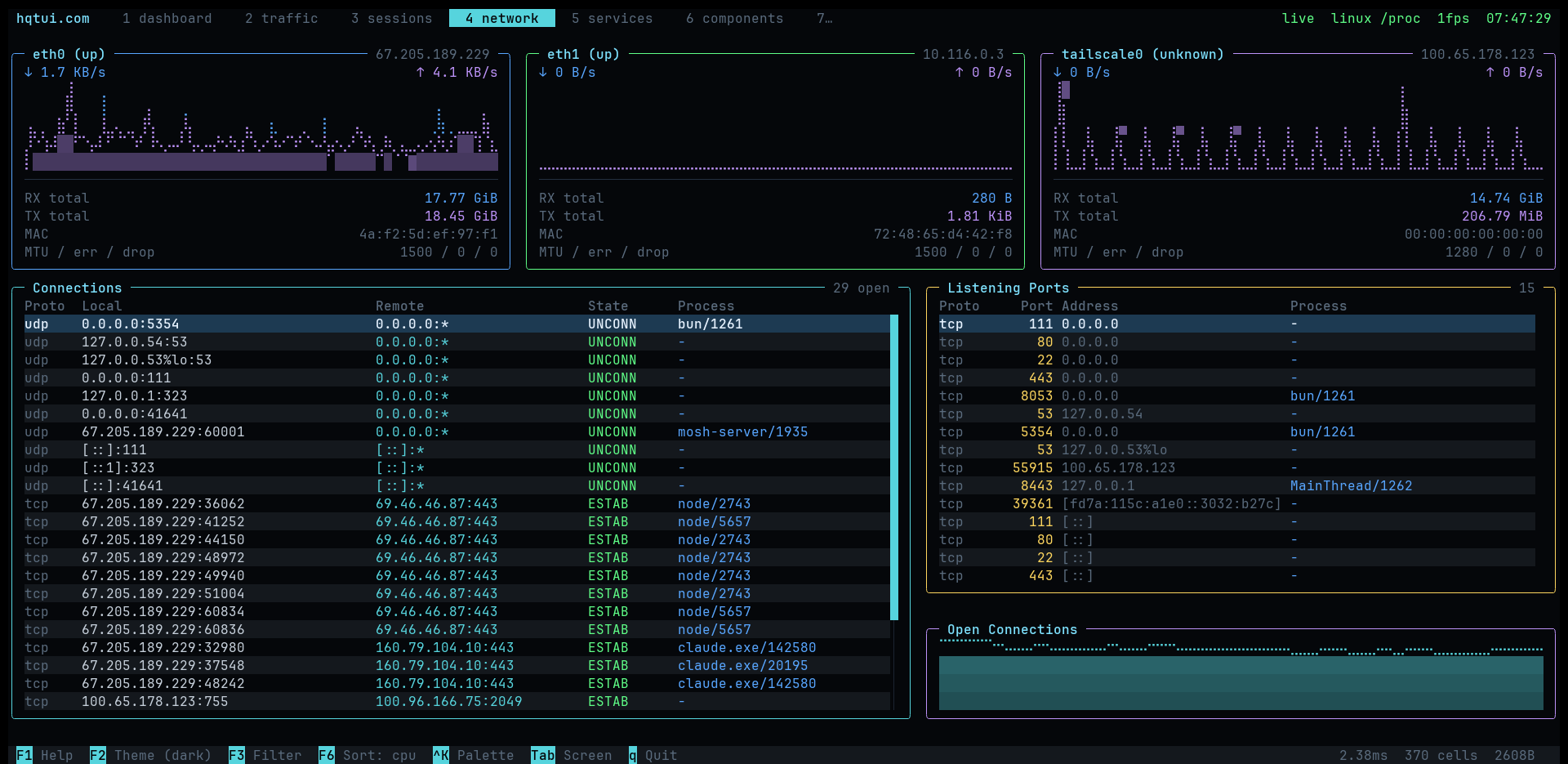
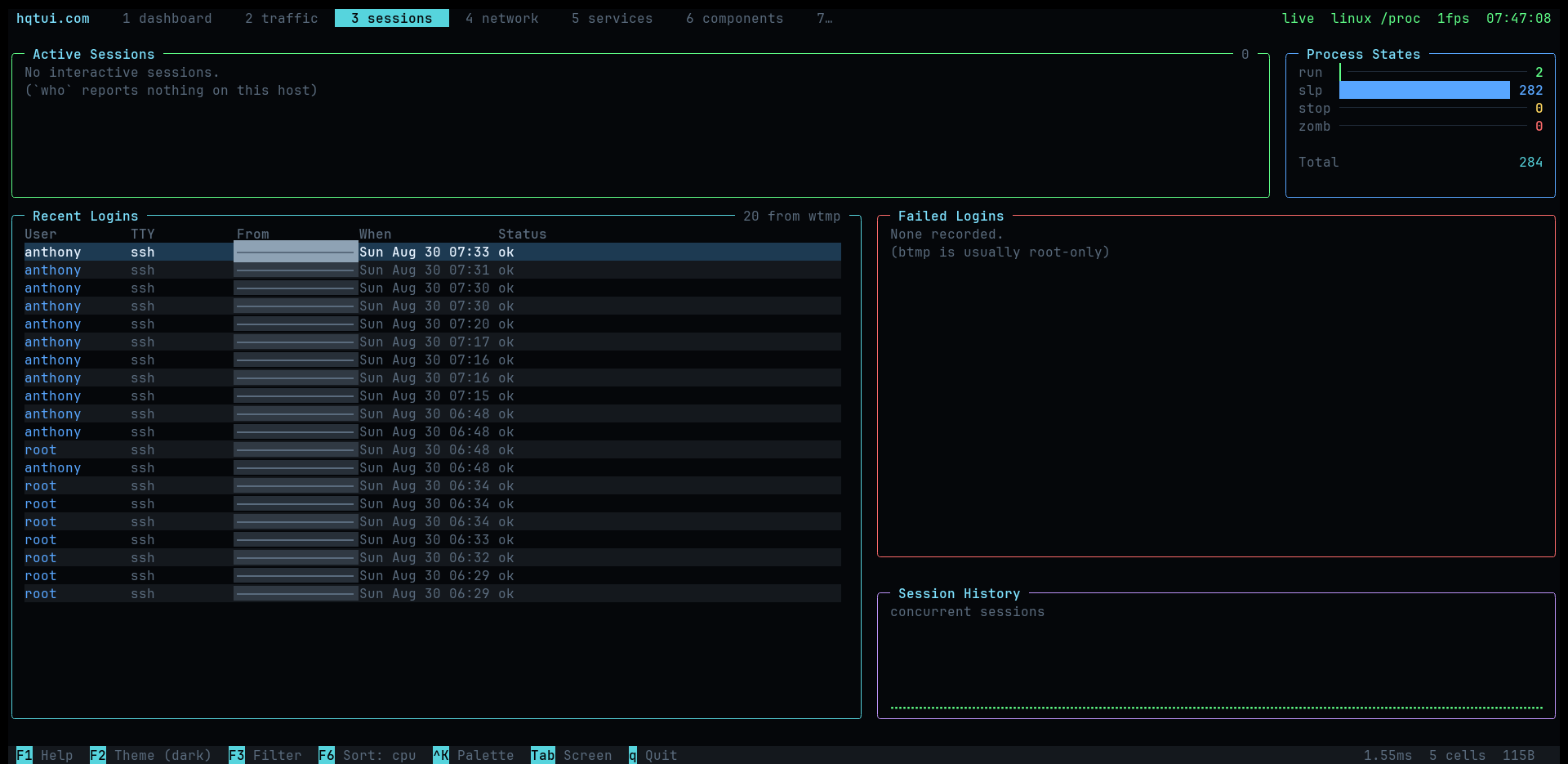
Active sessions from who, login history from wtmp, failed attempts from btmp, and a
process state breakdown.
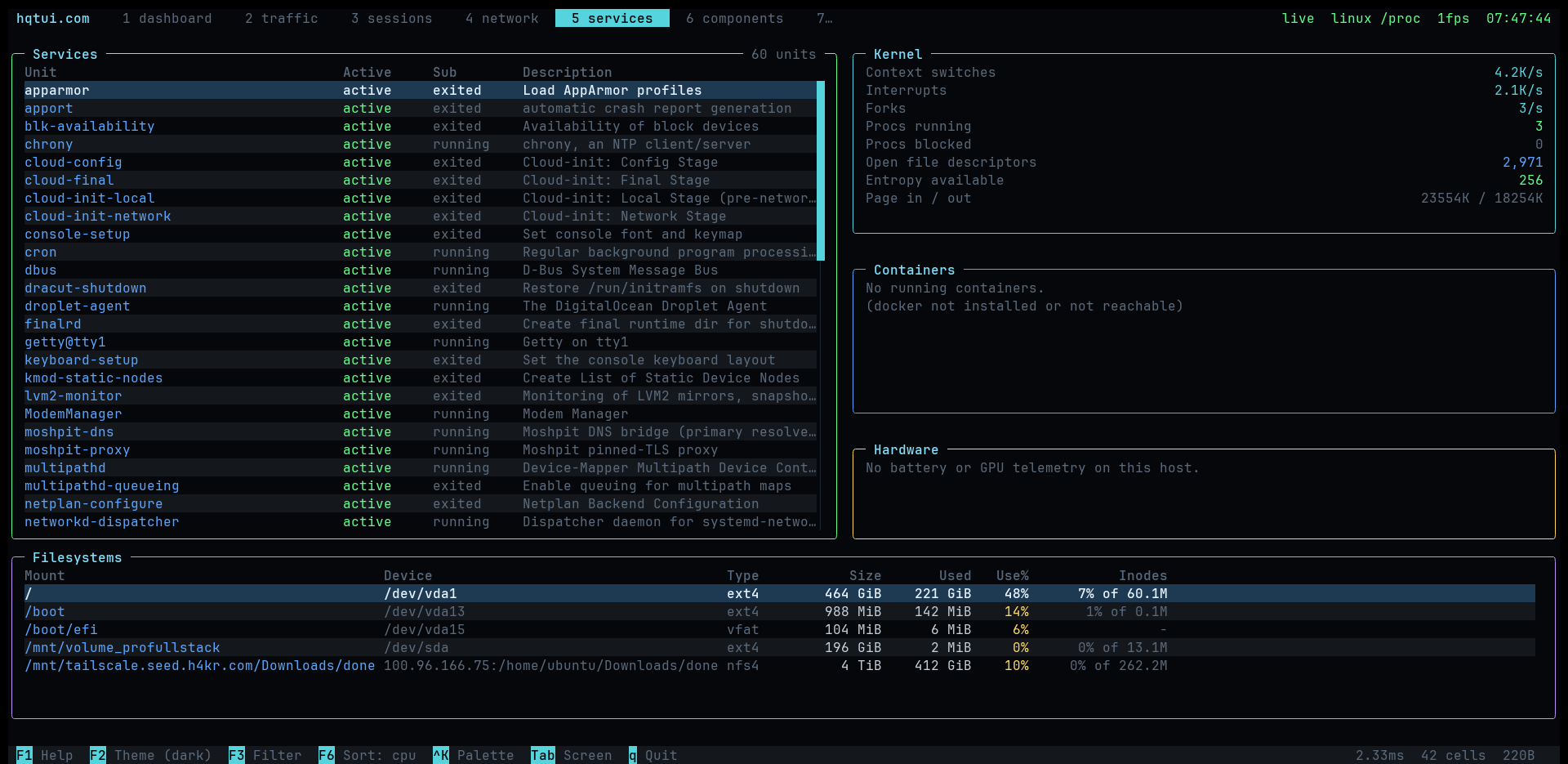
systemd units with failures first, docker containers, kernel counters (context switches, interrupts, forks, entropy, open file descriptors) and filesystems with inode usage.
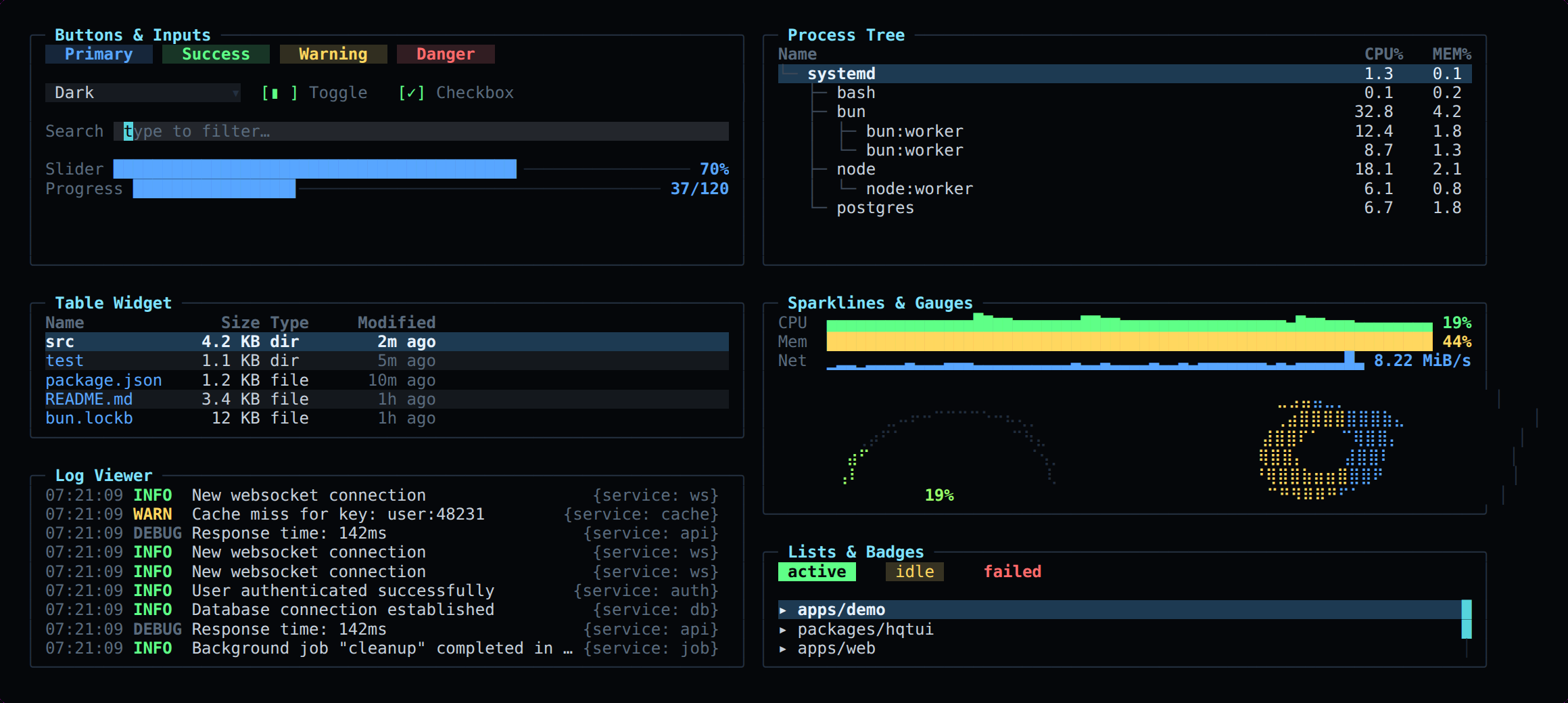
Nothing above needs root. Running with sudo additionally unlocks socket process
names, failed logins, HTTP access logs, per-process I/O and the full journal — the
demo tells you which of those it could not read.
| Layout | rows, columns, grid with spans, "40%", "2fr", auto, min/max, padding, gaps, clipping, responsive breakpoints |
| Widgets | panel, table, tree, list, log viewer, key/values, meter, gauge, donut, progress, sparkline, line/area/multi-series graph, histogram, heat bar, tabs, status bar, button, checkbox, toggle, radio, select, text input, modal, command palette, tooltip, badge, divider |
| Graphics | Braille canvas (2×4 pixels per cell), block/half-block/quadrant/ASCII modes, gradients, software alpha blending |
| Color | 24-bit truecolor, automatic 256 and 16-colour quantization, NO_COLOR, monochrome and high-contrast modes |
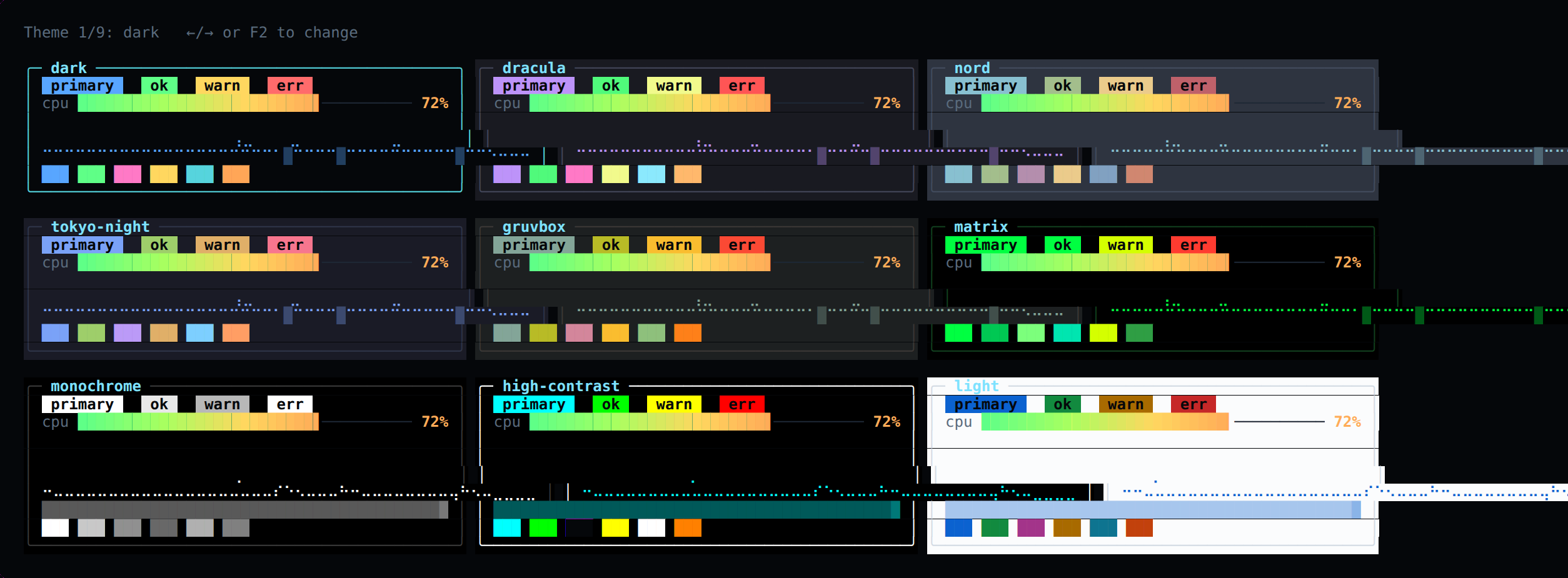
| Themes | dark (default), dracula, nord, tokyo night, gruvbox, matrix, monochrome, high contrast, light — plus defineTheme() |
| Input | normalized keys with modifiers, SGR mouse (click, drag, scroll, move), bracketed paste, focus events, Tab focus traversal |
| Testing | headless renderer: renderToText, renderToScreen, renderToAnsi, renderToHtml — no TTY required |
Terminal apps are usually untestable. Here they are not:
import { renderToScreen } from "@profullstack/hqtui";

const screen = renderToScreen(({ ui }) => ui.panel({ title: "CPU" }, (p) => p.text("72%")), {
  width: 40,
  height: 6,
});

expect(screen.contains("72%")).toBe(true);
expect(screen.cell(2, 0).fg).toBe(theme.title);The screen is one grid of cells in four typed arrays — no object is allocated per cell. Each frame is diffed against the previous one and only the changed runs are written, with a model of the terminal's pen so no redundant escape sequence is emitted.
Changing CPU 72% to CPU 73% writes a single character, not a screen.
bun run bench160x50 (8,000 cells) · bun 1.4 · linux x64
renderer.frame.unchanged 0.068ms no output written
renderer.frame.1pct 0.140ms 627 bytes/frame
renderer.frame.10pct 0.291ms 2,639 bytes/frame
renderer.frame.100pct 1.409ms 8,341 bytes/frame
widgets.dashboard 0.425ms 6 panels, layout + widgets + diff
packages/hqtui   the library
apps/demo        the reference dashboard (real + simulated data)
apps/web         hqtui.com
examples/        small, focused programs
docs/            guides and the original PRD
Bun is the default. Node 22.6+ runs everything unchanged (it strips TypeScript natively). Deno support is best-effort. Tested on Linux, macOS and Windows Terminal; degrades gracefully on limited terminals (no mouse, quantized color, ASCII instead of Braille).
MIT.