



Swift SDK for Flocon, the desktop debugger for mobile apps: inspect the network calls, databases, files, preferences and more of your iOS or macOS app, live, from your Mac.
| Network: every call, mocks, bad network | Databases: query your SQLite live |
|---|---|
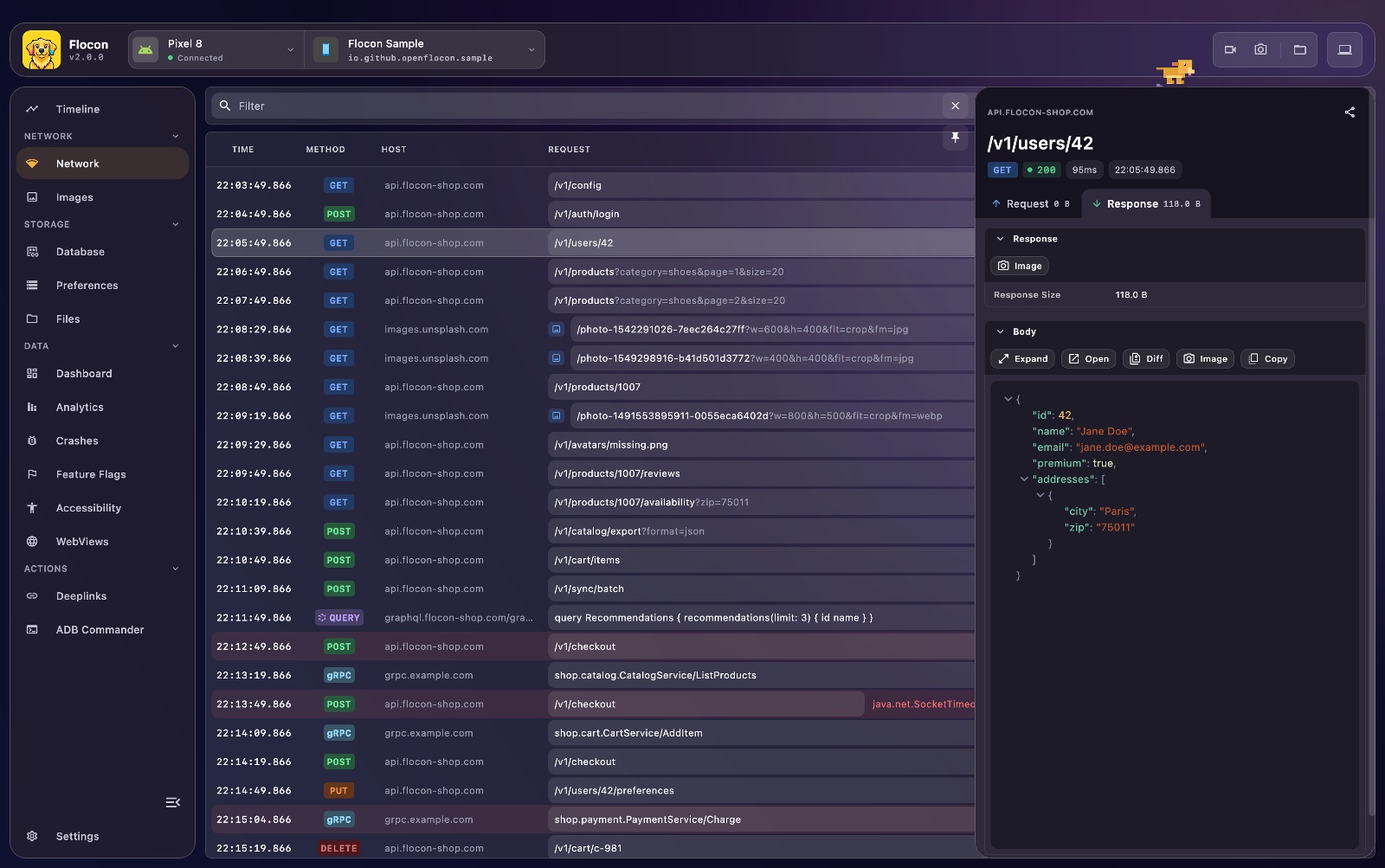 |
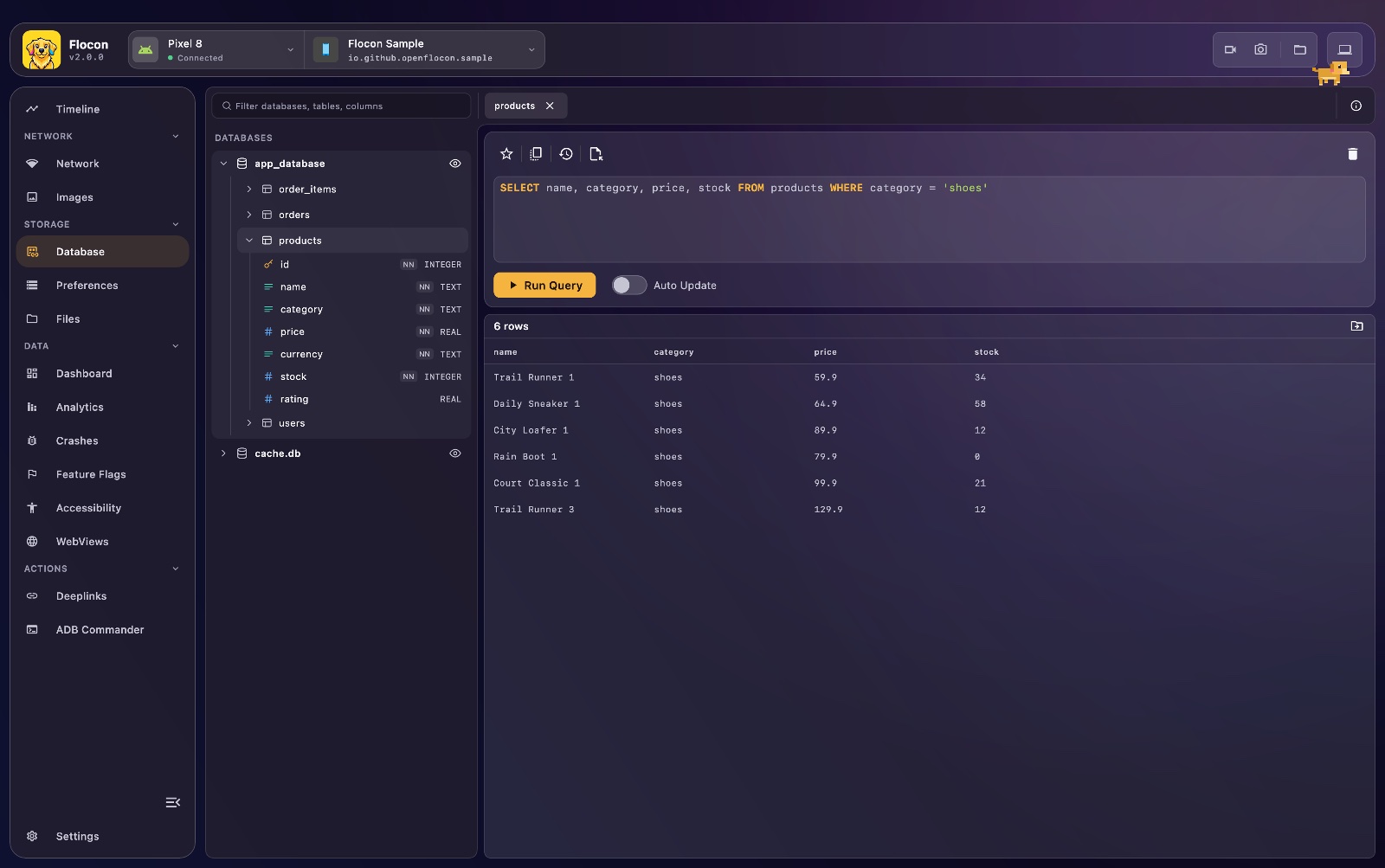 |
Preferences: browse and edit UserDefaults and the keychain |
Timeline: what happened in the app |
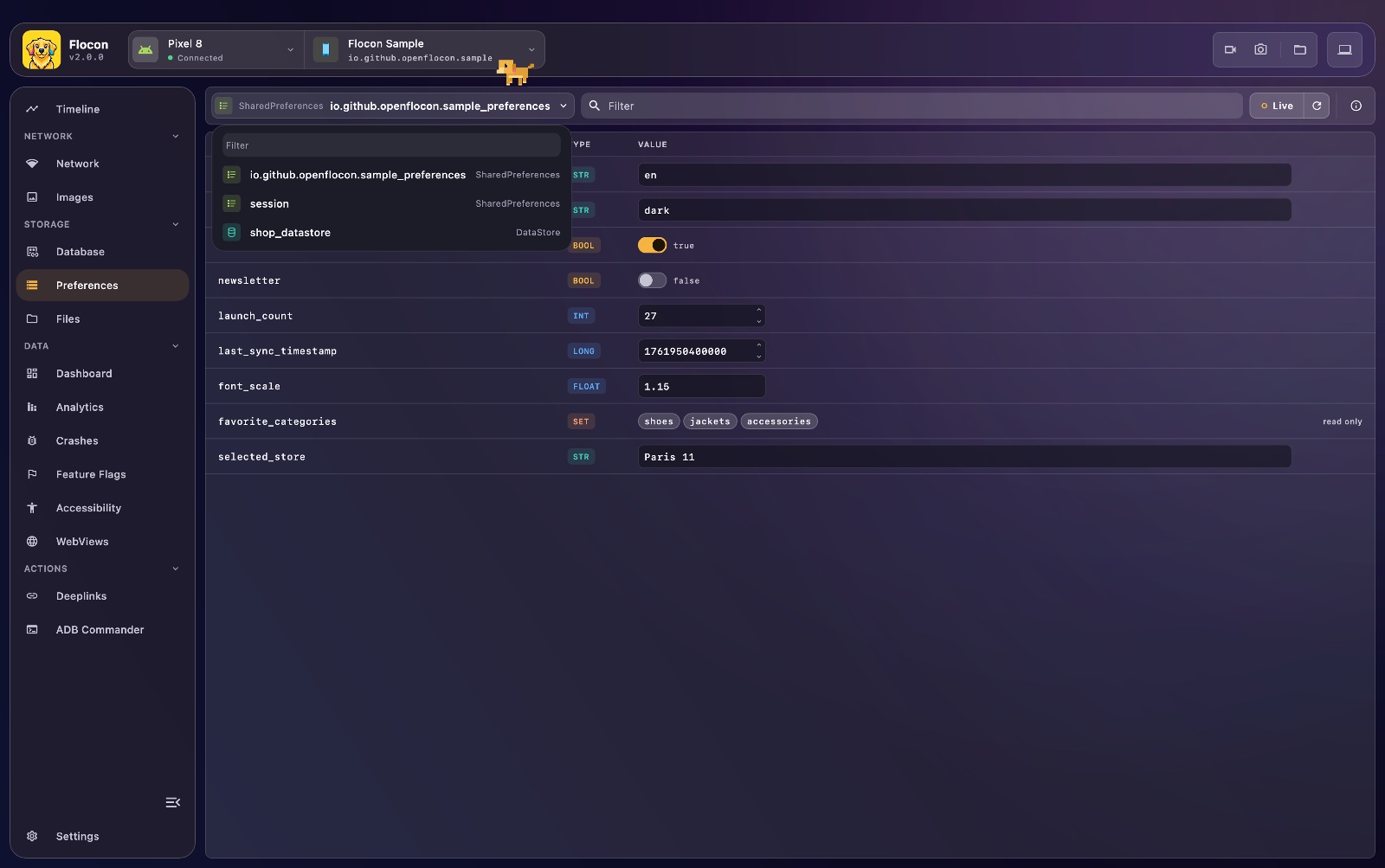 |
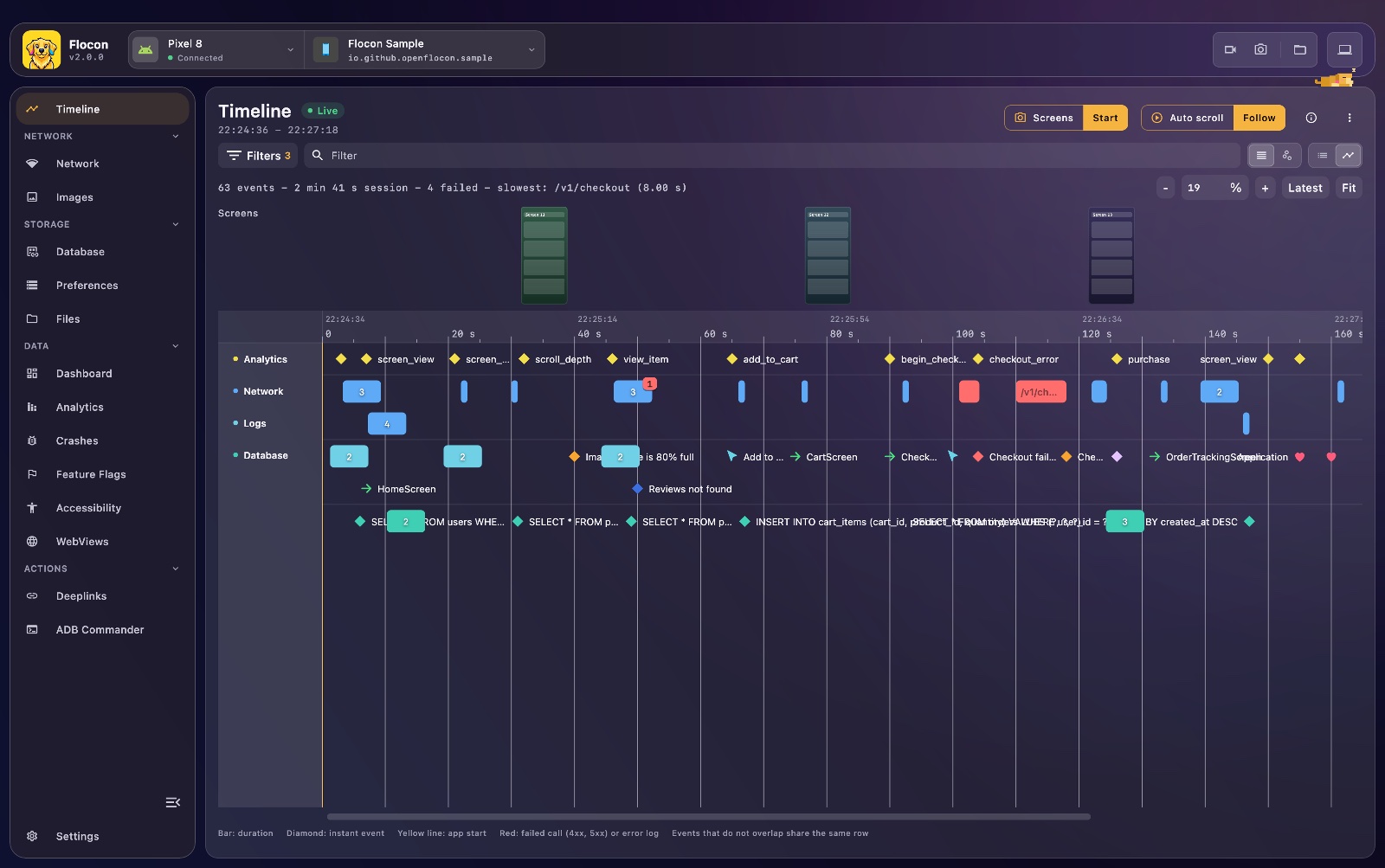 |
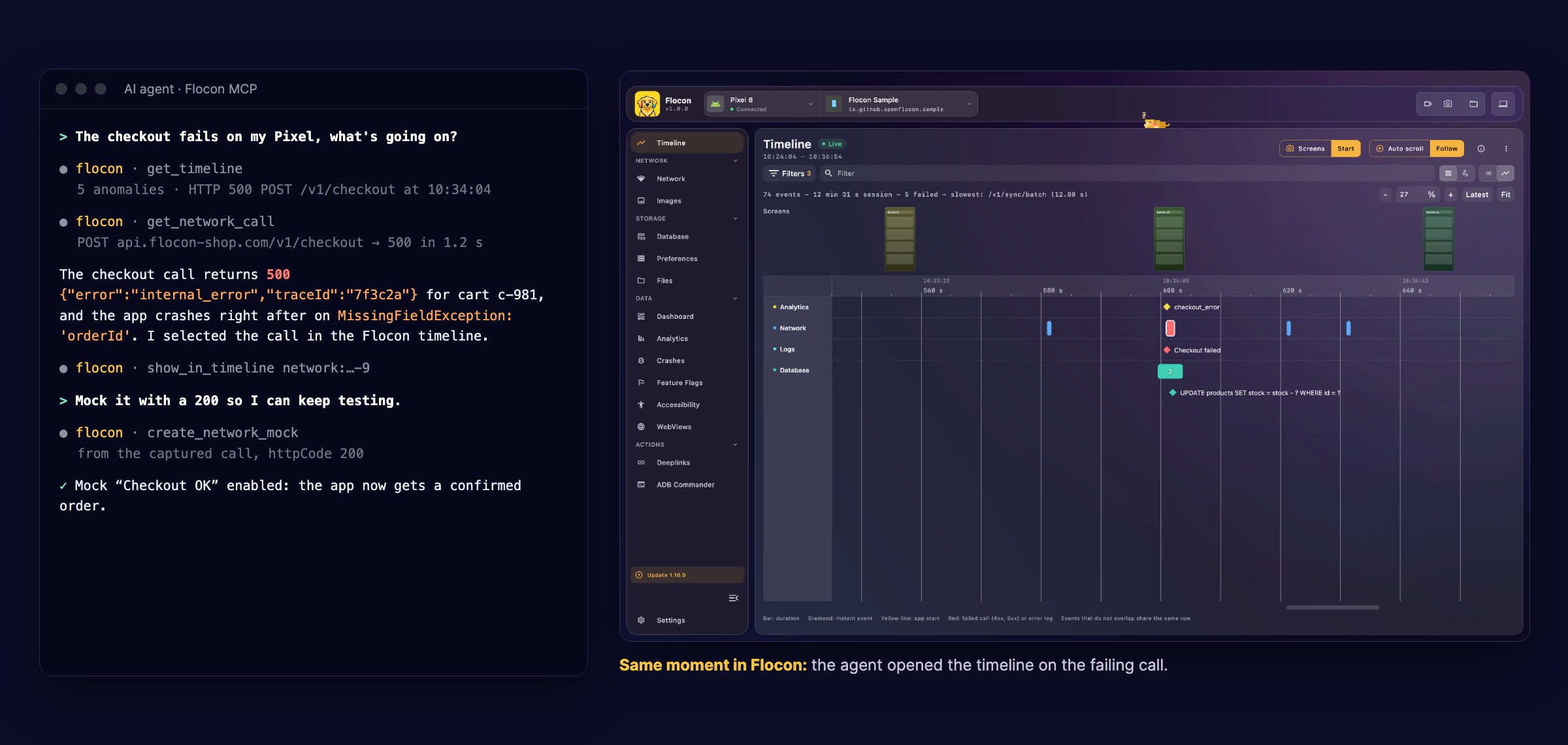
Flocon Desktop runs an MCP server: Claude Code, Codex, Cursor or Gemini read the network calls, timeline, databases and preferences of your running iOS app, then mock calls, simulate a bad network and take screenshots. Try asking:
- "What happened right before the crash?"
- "Mock
/profilewith a 503 and take a screenshot." - "Which analytics events are sent on checkout?"
In Claude Code: /plugin marketplace add openflocon/Flocon, then /plugin install flocon@flocon. Other agents: MCP setup, and the cookbook.
- iOS 15+ or macOS 12+
- Xcode 16+ (Swift 6.0, the
swift-tools-versionof the package) - The Flocon desktop app running on your Mac
Flocon is distributed with Swift Package Manager. Latest release: 
LAST_VERSION below with it.
- Choose File > Add Package Dependencies...
- Paste
https://github.com/openflocon/FloconSwift.gitin the search field. - Keep Dependency Rule on Up to Next Major Version from the latest release, then click Add Package.
- Add the
Floconlibrary to your app target.
dependencies: [
    .package(url: "https://github.com/openflocon/FloconSwift.git", from: "LAST_VERSION"),
],
targets: [
    .target(
        name: "MyApp",
        dependencies: [
            .product(name: "Flocon", package: "FloconSwift"),
        ]
    ),
]Start the SDK as early as possible, for example in the initializer of your App, and install the features you need:
import Flocon
import SwiftUI

@main
struct MyApp: App {
    init() {
        startFlocon { flocon in
            flocon.install(.network)
            flocon.install(.analytics)
            flocon.install(.preferences)
        }
    }

    var body: some Scene {
        WindowGroup { ContentView() }
    }
}
Flocon.initialize() is the short form that installs every feature. Plugins that are not installed do nothing, so their calls can stay in your code.
Network calls are logged for the sessions built with URLSession(configuration: .default.withFlocon()); call Flocon.interceptSharedSession() to also log URLSession.shared.
| Key | Needed for |
|---|---|
NSLocalNetworkUsageDescription |
Reaching your Mac on the local network (physical device) |
NSCameraUsageDescription |
Scanning the QR code with FloconQRScannerView |
No App Transport Security exception is needed: the SDK talks to the desktop over wss:// and https:// (WebSocket and file transfers), with the self-signed certificate of the desktop app, which is accepted without being verified (encrypted, not authenticated).
- Simulator: nothing to do, the default host
localhostworks. - Physical device: give the local IP address of your Mac, with
flocon.config(host: "192.168.1.20")in thestartFloconblock. - No IP at hand: scan the QR code shown by Flocon Desktop with
FloconQRScannerView(iOS only), or callFlocon.connect(address:)from a debug menu:
.sheet(isPresented: $isScanning) {
    FloconQRScannerView { result in
        if result == .connected { isScanning = false }
    }
}
Until a desktop is reachable, the SDK keeps what the app logs in memory and sends it once connected. If the app does not show up, set Flocon.isLoggingEnabled = true before starting the SDK to print its [Flocon] logs in the Xcode console.
More about the connection, custom ports and troubleshooting: Connect your app and Troubleshooting.
| Feature | Enable with | Documentation |
|---|---|---|
| Network (HTTP, images, mocks, bad network simulation) | .network |
Network, Mocking, Bad quality, Images |
| WebSockets (events you log) | .network |
WebSocket |
| gRPC | .network + FloconSwiftGrpc |
gRPC |
| Databases (SQLite, Core Data, GRDB) | .database |
Database |
Preferences (UserDefaults, keychain) |
.preferences |
SharedPreferences |
| Files | .files |
Files |
| Dashboards | .dashboard |
Dashboard |
| Tables | .tables |
Table |
| Deeplinks | .deeplinks |
Deeplink |
| Analytics | .analytics |
Analytics |
| Feature flags | .featureFlags |
Feature flags |
| Timeline (navigation, user actions, lifecycle, your own events) | .timeline |
Timeline |
| Crash reporter | .crashReporter |
Crash reporter |
Features with options take a closure, for example:
startFlocon { flocon in
    flocon.install(.database) { $0.register(displayName: "App", url: databaseURL) }
    flocon.install(.files) { $0.appGroup("group.com.example.app") }
    flocon.install(.preferences) { $0.userDefaults(sharedDefaults, suiteName: "group.com.example.app") }
}
Each feature is also reachable at runtime through Flocon.networkPlugin, Flocon.databasePlugin, Flocon.filesPlugin, Flocon.deeplinksPlugin, Flocon.timelinePlugin, and so on. They are never nil and do nothing when the feature is not installed.
Open FloconWorkspace.xcworkspace and run the FloconDemo scheme (iOS 17+ simulator) with the Flocon desktop app open. It has one screen per feature.
The full documentation, with Kotlin, Swift and Flutter examples for every feature, is on openflocon.github.io/Flocon. The public API is also documented with DocC comments: in Xcode, choose Product > Build Documentation with the Flocon scheme.
Issues and pull requests are welcome on FloconSwift. Run swift build and swift test, and swiftlint lint --strict before opening a pull request. The desktop app lives in openflocon/Flocon.
MIT, see LICENSE.