



Flutter SDK for Flocon, the desktop debugger for mobile apps. Once the SDK is started, your app connects to the Flocon desktop app and shows, live: network calls, databases, preferences, files, analytics, feature flags, timeline, crashes and more. Also available for Kotlin and Swift (FloconSwift).
| Network: every call, mocks, bad network | Databases: query your SQLite live |
|---|---|
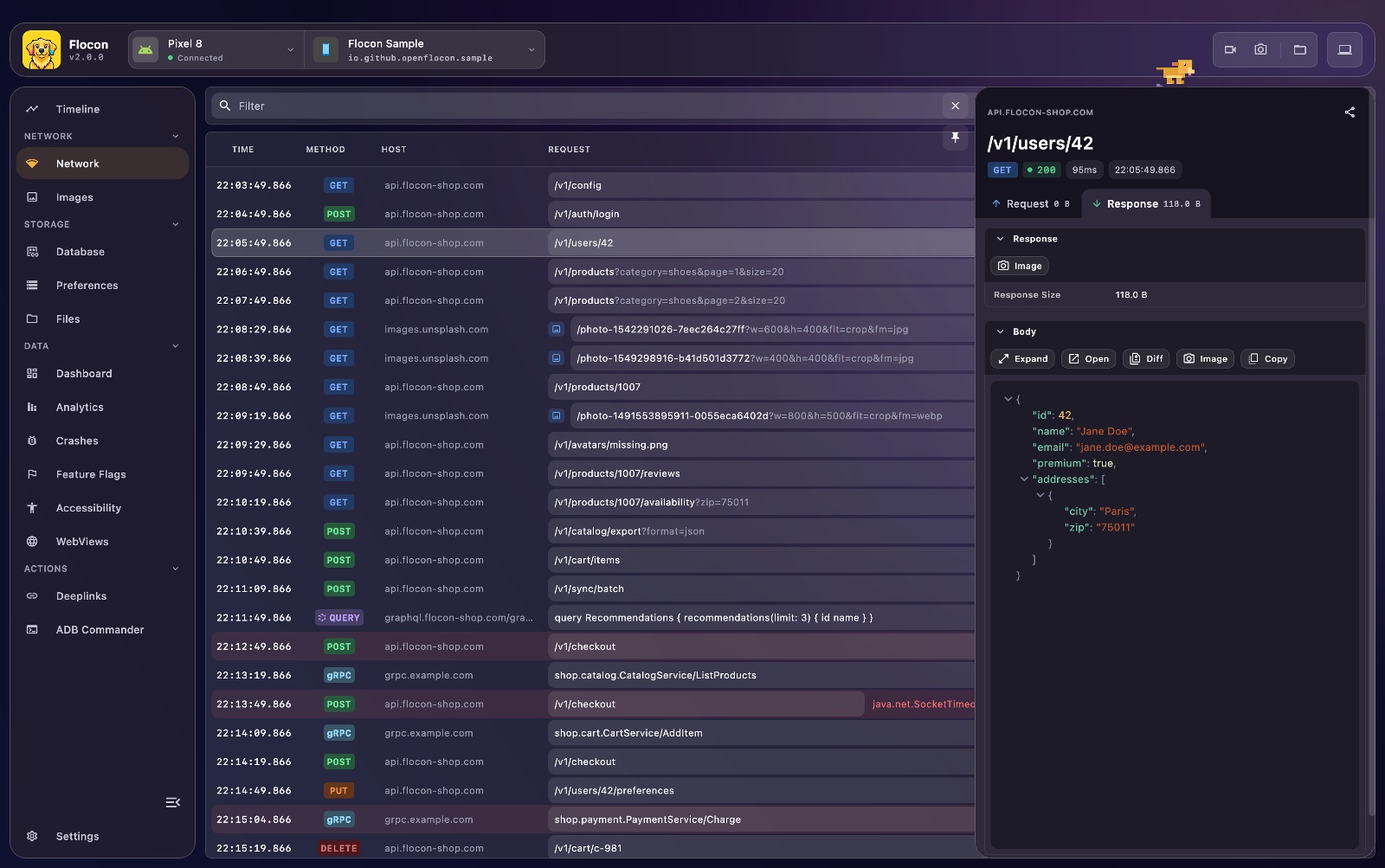 |
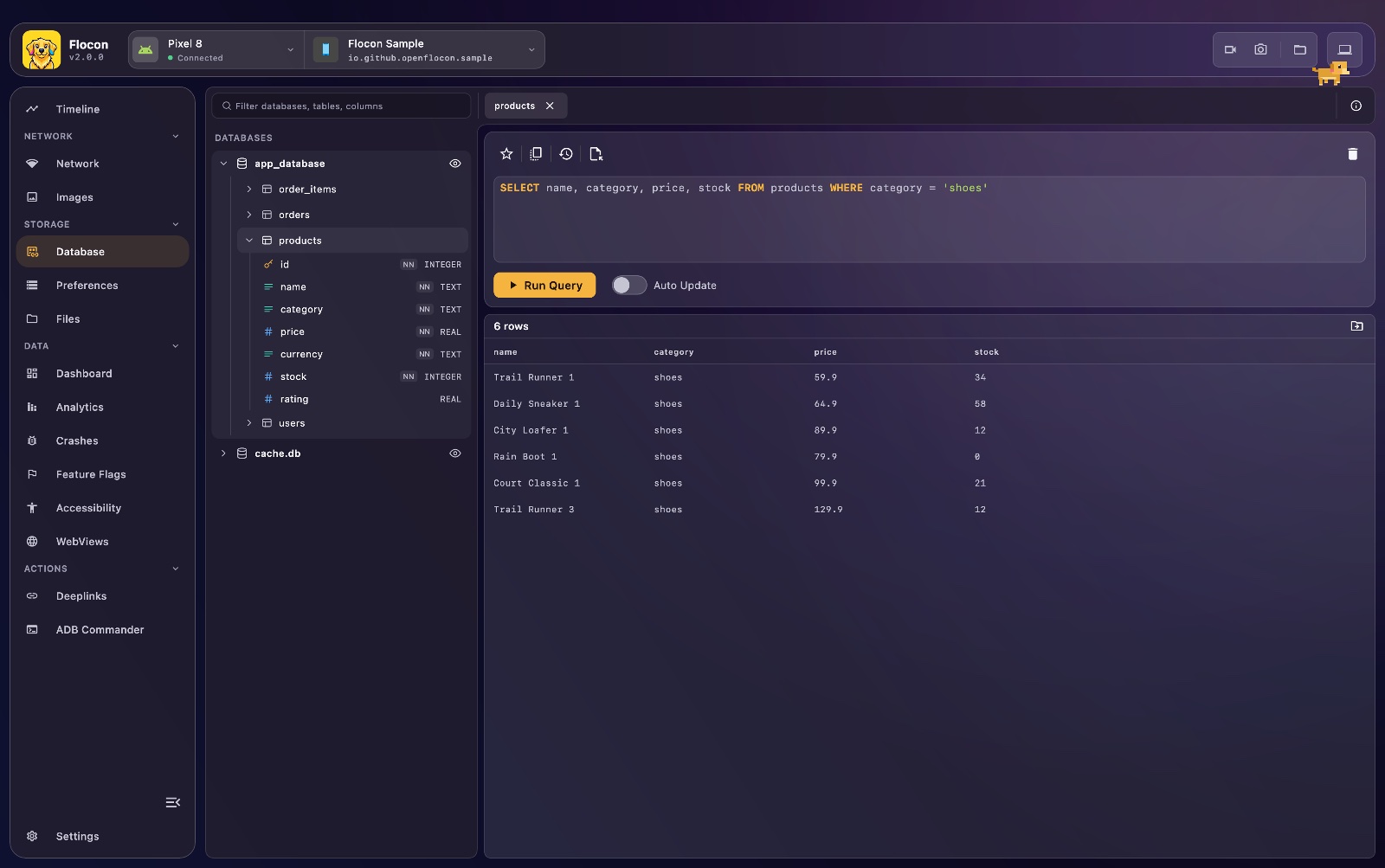 |
Preferences: browse and edit SharedPreferences |
Timeline: what happened in the app |
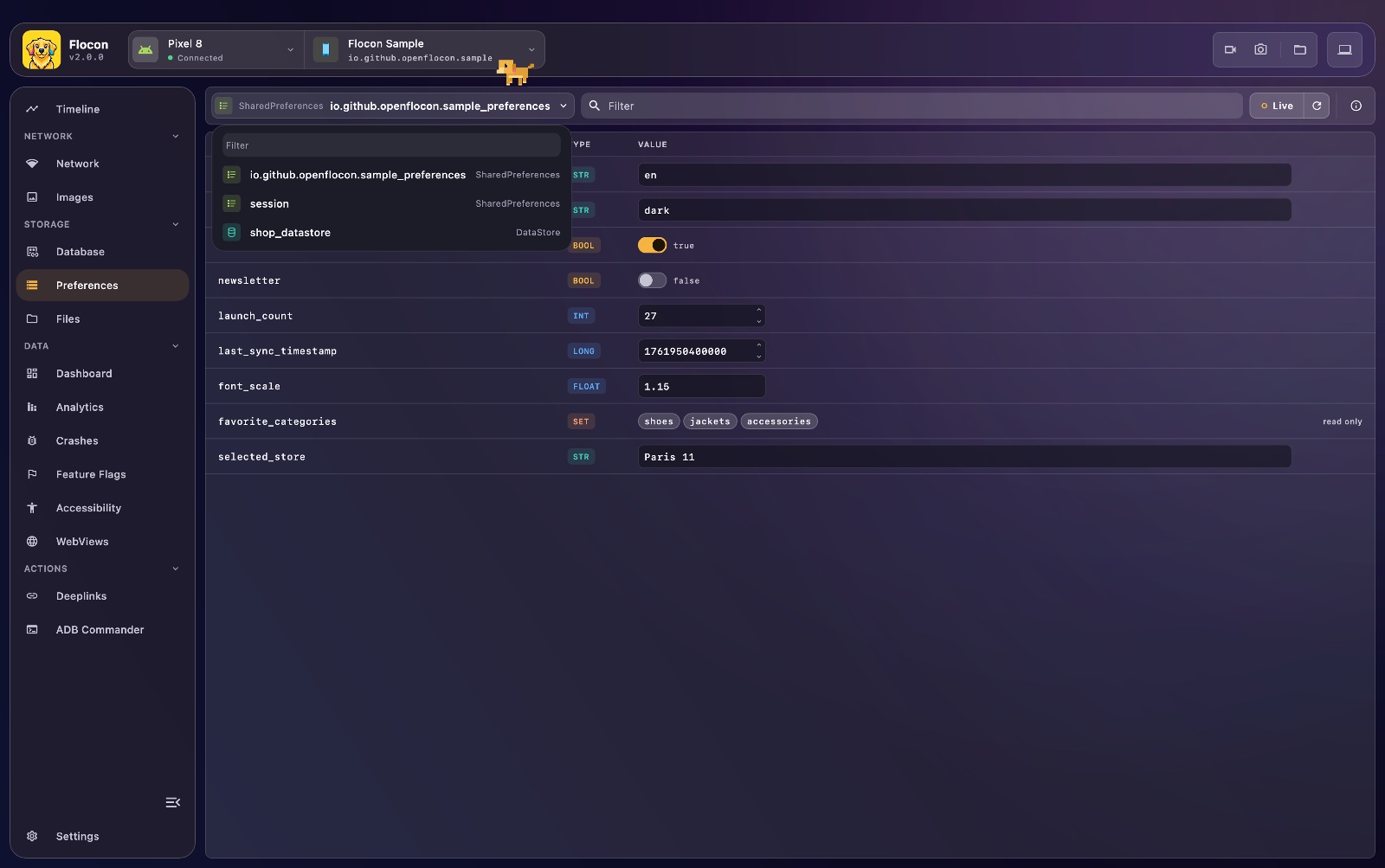 |
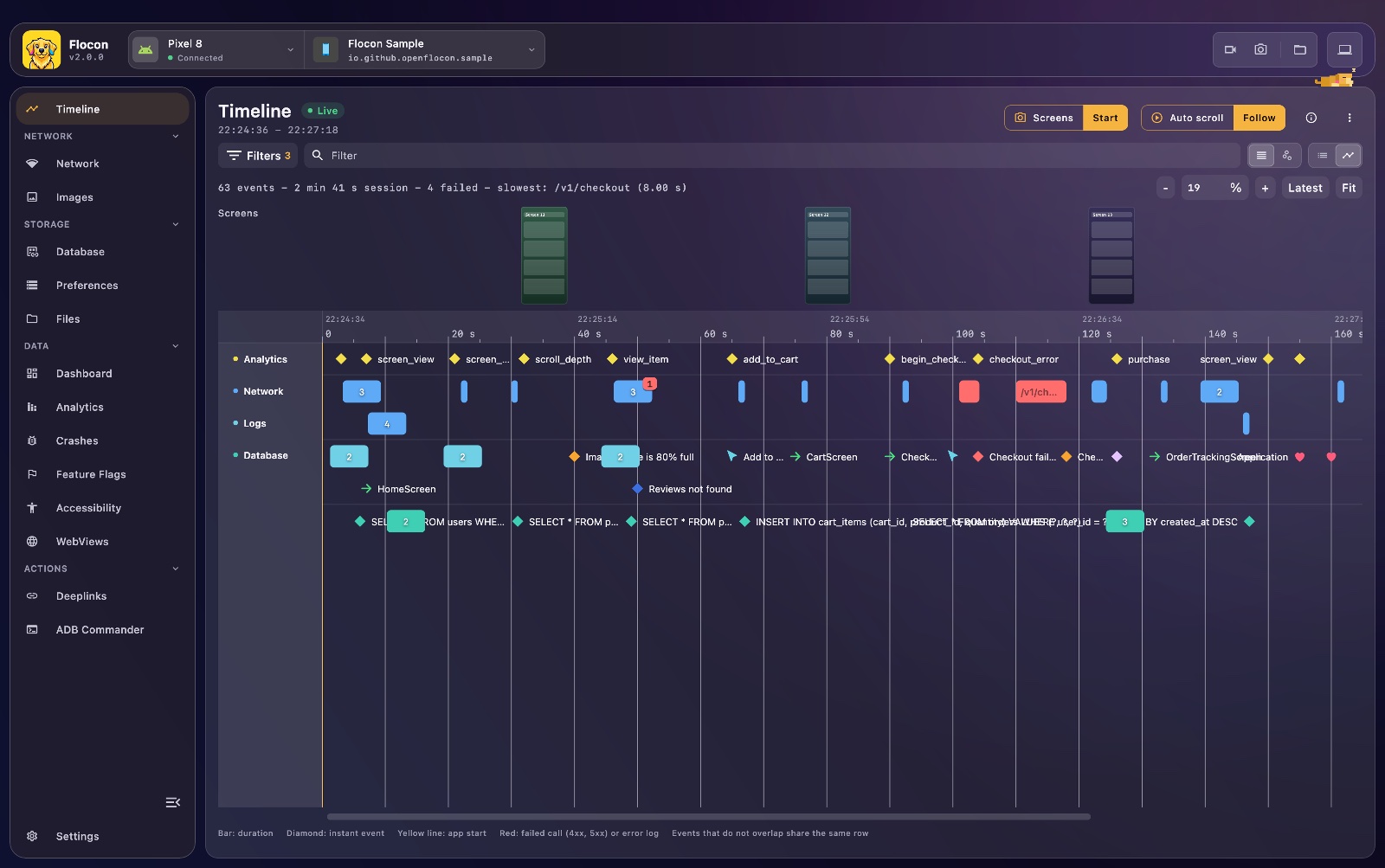 |
Full documentation: https://openflocon.github.io/Flocon/ (every feature page has a Flutter tab).
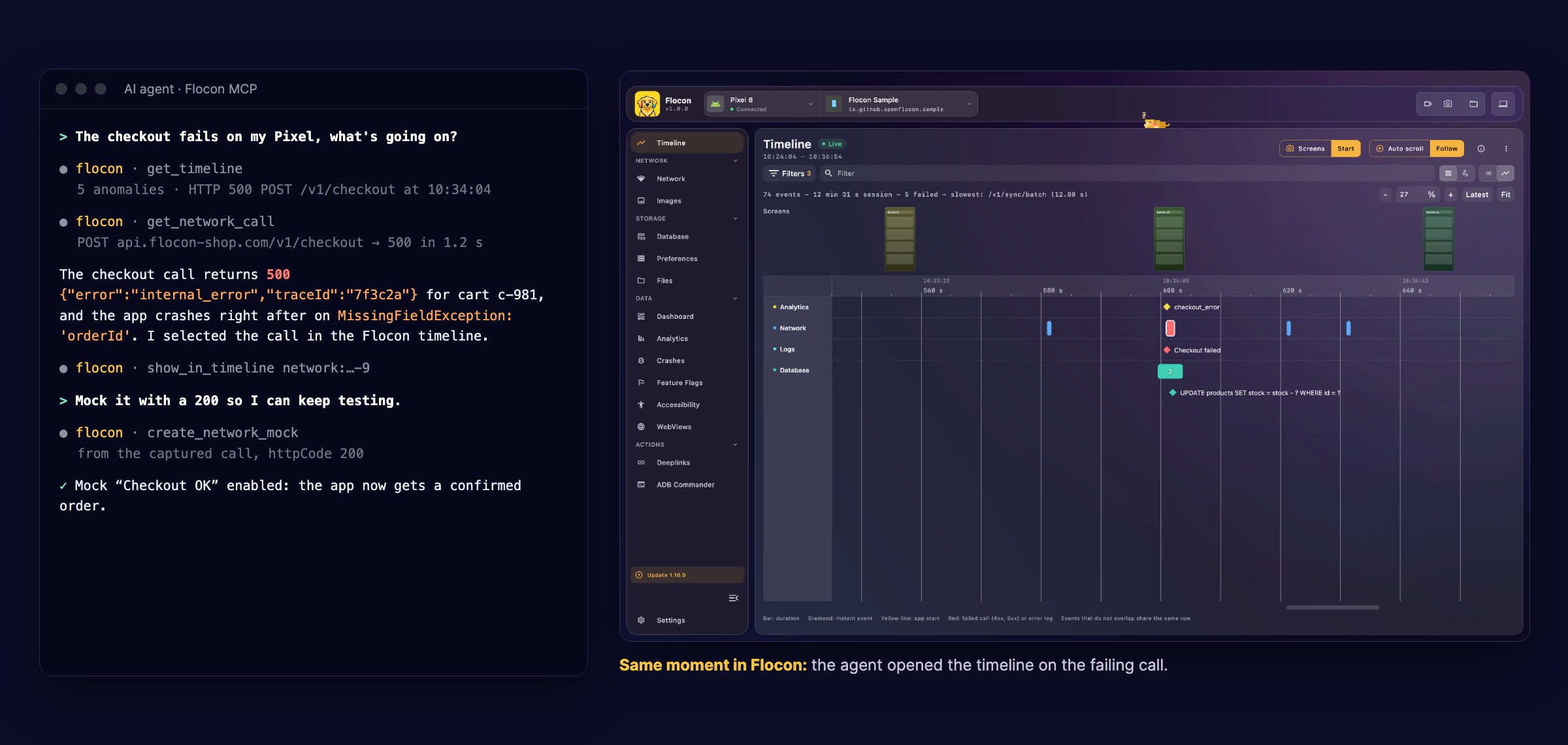
Flocon Desktop runs an MCP server: Claude Code, Codex, Cursor or Gemini read the network calls, timeline, databases and preferences of your running Flutter app, then mock calls, simulate a bad network and take screenshots. Try asking:
- "What happened right before the crash?"
- "Mock
/profilewith a 503 and take a screenshot." - "Which analytics events are sent on checkout?"
In Claude Code: /plugin marketplace add openflocon/Flocon, then /plugin install flocon@flocon. Other agents: MCP setup, and the cookbook.
The SDK is split in several packages, so that you only pull the libraries you use. All are published on pub.dev, and all but flocon depend on it.
| Package | What it adds | Main dependencies |
|---|---|---|
flocon |
Connection, app icon, network (WebSocket events, mocks, bad network), analytics, feature flags, timeline, deeplinks, dashboard, tables, custom plugins | device_info_plus, package_info_plus, path_provider, uuid |
flocon_dio |
dio.withFlocon(): network calls of Dio |
dio |
flocon_http |
client.withFlocon(): network calls of package:http |
http |
flocon_database |
SQLite databases: browse, query, see the queries the app runs | sqflite |
flocon_shared_preferences |
Browse and edit SharedPreferences |
shared_preferences |
flocon_files |
Browse, download and delete the files of the app | path_provider |
flocon_crash_reporter |
Uncaught Dart and Flutter errors, with their stack trace | path_provider |
flocon_qr_scanner |
FloconQrScannerView: connect by scanning the QR code of the desktop (Android, iOS, macOS) |
mobile_scanner |
flutter pub add flocon
# only the ones you need:
flutter pub add flocon_dio flocon_http flocon_database flocon_shared_preferences flocon_files flocon_crash_reporter flocon_qr_scannerStart Flocon as early as possible, in debug builds only, and install the plugins you use:
import 'dart:io';

import 'package:flocon/flocon.dart';
import 'package:flocon_dio/flocon_dio.dart';
import 'package:flutter/foundation.dart';

Future<void> main() async {
  WidgetsFlutterBinding.ensureInitialized();
  if (kDebugMode) {
    await startFlocon((flocon) => flocon
      ..connect(host: Platform.isAndroid ? '10.0.2.2' : 'localhost')
      ..install(FloconNetwork()));
  }
  runApp(const MyApp());
}

final dio = Dio(BaseOptions(baseUrl: baseUrl)).withFlocon(); // after your own interceptors
Flocon is a debugging tool: the desktop can read your network calls, edit your preferences, delete files and run SQL on
your databases, so do not start it in release builds. Every other Flocon call (withFlocon(),
Flocon.analytics...) does nothing when Flocon was not started, so you can leave them in your code.
Other plugins are installed the same way: FloconDatabase(), FloconSharedPreferences(prefs), FloconFiles(),
FloconCrashReporter().
Host. localhost on the iOS Simulator and macOS, 10.0.2.2 on the Android emulator, and the local IP address of the
computer running Flocon on a physical device. If the address is not known at start, call Flocon.connect('192.168.1.20')
later, or scan the QR code of the desktop:
FloconQrScannerView(onResult: (result) {
  if (result is FloconConnectResultConnected) Navigator.pop(context);
})
Platform setup. The connection is a wss:// one, so no cleartext traffic exception is needed.
- Android: the
INTERNETpermission. - iOS:
NSLocalNetworkUsageDescription, to reach the computer on the local network. - macOS: the
com.apple.security.network.cliententitlement. - QR scanner:
NSCameraUsageDescription(iOS, macOS), theCAMERApermission (Android),com.apple.security.device.camera(macOS), and on AndroidminSdk23,compileSdk36, Android Gradle plugin 8.9.1+.
See sample/ for a working configuration of the three platforms, and
Connect your app for custom ports, connection state and troubleshooting.
| Feature | Flutter API | Documentation |
|---|---|---|
| Network (HTTP) | dio.withFlocon(), client.withFlocon() |
Network |
| Mocks | set from the desktop, applied by the Dio and http adapters |
Mocking |
| Bad network | set from the desktop, applied by the Dio and http adapters |
Bad quality |
| WebSocket | Flocon.network.logWebSocketEvent, logged manually (no automatic capture) |
WebSocket |
| Images | responses with an image/* type, or FloconNetwork(isImage: ...) |
Image |
| Databases | FloconDatabase() (SQLite) |
Database |
| Preferences | FloconSharedPreferences(prefs) |
SharedPref |
| Files | FloconFiles() |
Files |
| Dashboard | Flocon.dashboard |
Dashboard |
| Tables | Flocon.table |
Table |
| Deeplinks | Flocon.deeplinks |
Deeplink |
| Analytics | Flocon.analytics |
Analytics |
| Feature flags | Flocon.featureFlags |
Feature flags |
| Timeline | Flocon.timeline, FloconNavigatorObserver, FloconLifecycleObserver |
Timeline |
| Crash reporter | FloconCrashReporter() |
Crash reporter |
Flutter-specific limits:
- WebSocket traffic is not intercepted: log the events of the connections you want to inspect.
- Only Dart and Flutter errors are reported; native crashes (Kotlin, Java, Swift, C++) are not.
- Mocks of WebSocket messages are not supported.
- No WebView inspection and no accessibility tools.
sample/ is a Flutter app (Android, iOS, macOS) with one screen per plugin, styled like the Flocon desktop.
Start the Flocon desktop app, then:
cd sample && flutter run -d macosIt picks 10.0.2.2 on Android and localhost elsewhere. On a physical device, use its connection screen (type the IP of
the computer, or scan the QR code).
tool/check.sh # pub get, analyze and test in every package and in the samplepackages/ holds the eight packages, one folder each (flocon/lib/src has the client, core, model and plugins); the
adapter packages only use the public API of flocon. The protocol is the one of
FloconSwift.
MIT, see LICENSE.