

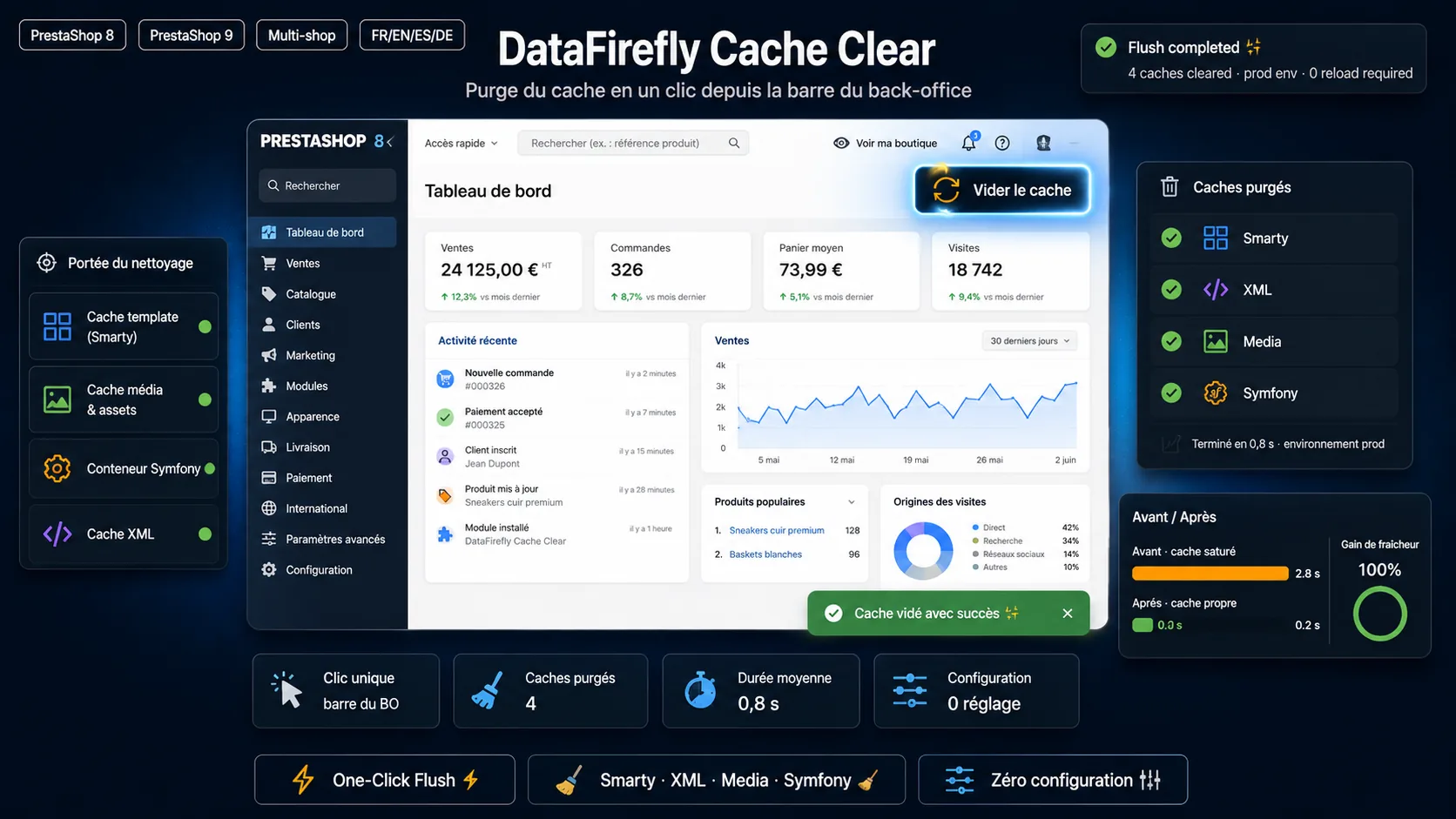
Free PrestaShop module that adds a "Clear cache" button to the back-office toolbar: one click purges the Smarty, XML, Media, Symfony, object cache and OPcache — without going to Advanced Parameters > Performance and without reloading the page.


Product page · Documentation · Download the latest release · More PrestaShop modules by DataFirefly

When you build, update or debug a PrestaShop store, you clear the cache dozens of times a day: after editing a template, a translation, a module, a CSS file or a hook. In PrestaShop 8 and 9 that means opening Advanced Parameters > Performance, clicking Clear cache, waiting for a full page reload, then navigating back to where you were.
DataFirefly Cache Clear (dfclearcache) by DataFirefly puts a Clear cache button directly in the back-office toolbar of every admin page. One click, an AJAX call, a notification — and you stay on your page.
- "Clear cache" button in the back-office toolbar, on every admin page, next to the native page actions.
- One-click AJAX purge: no page reload, animated icon while it runs, success or error notification with the list of caches cleared.
- Every PrestaShop cache at once:
- Smarty template cache (front office and back office)
- XML cache
- Media cache (CCC — combined, compressed CSS/JS)
- Symfony container and kernel cache (
var/cache/prodorvar/cache/dev) - Object cache (Memcached, APCu…) when enabled in your parameters
- PHP OPcache, when enabled and allowed by your host
- Safe Symfony purge: native PrestaShop cache clearers first, then deferred removal at the end of the request — the running container is never deleted under its own feet, and concurrent visitors rebuild a fresh cache instead of reading a half-deleted one.
- Permission aware: the button is only shown to employees whose profile can use it.
- Logged: every purge is written to Advanced Parameters > Logs with the employee and the caches cleared.
- POST only, session-expiry detection, accessible notifications (
aria-live),prefers-reduced-motionrespected. - Zero configuration: install, enable, the button appears.
- No front-office impact: the module only loads in the back office.
- Multistore compatible.
- Back office in 8 languages: English, French, Spanish, German, Italian, Dutch, Polish, Portuguese.
| Situation | Why clear the cache |
|---|---|
You edited a .tpl file of your theme or of a module |
Smarty serves the compiled template until the cache is cleared |
| You changed CSS or JS with Combine, Compress and Cache (CCC) enabled | The combined files are served from the media cache |
| You installed, upgraded or overrode a module | The Symfony container and class index must be rebuilt |
| You updated PHP files on a server with OPcache | PHP keeps executing the old bytecode |
| A change "does not show up" on the store | The fastest first troubleshooting step |
- PrestaShop 8.0 to 9.x (single store and multistore)
- PHP 7.4 to 8.x
- Not compatible with PrestaShop 1.7
From the back office (recommended)
- Download
dfclearcache-x.y.z.zipfrom the latest release or from the DataFirefly product page. - Go to Modules > Module Manager > Upload a module and drop the zip.
- The Clear cache button appears in the back-office toolbar. Nothing to configure.
With Git
cd /path/to/prestashop/modules
git clone https://github.com/datafirefly-ltd/dfclearcache.git
Then install DataFirefly - Clear cache from Modules > Module Manager.
| Step | PrestaShop API |
|---|---|
| Smarty | Tools::clearSmartyCache() |
| XML | Tools::clearXMLCache() |
| Media (CCC) | Media::clearCache() |
| Symfony | cache_clearer_chain / symfony_cache_clearer services, then Tools::clearSf2Cache(), then deferred purge of var/cache/{env} |
| Object cache | Cache::getInstance()->flush() when _PS_CACHE_ENABLED_ |
| OPcache | opcache_reset() when OPcache is enabled |
Each step runs independently: if one fails, the others still run and the error is reported. The button is injected through the displayBackOfficeHeader hook and calls the hidden AdminDfClearCache AJAX controller.
Where does the button appear? In the back-office toolbar, next to the page actions and the help button, on every admin page.
Which caches are cleared? Smarty, XML, Media (CSS/JS), the Symfony container, the object cache when enabled, and OPcache when enabled.
Is any configuration needed? No. Install and enable the module: the button appears immediately.
Can every employee clear the cache? Only employees whose profile has access to the module's controller. SuperAdmins always see the button.
Is it compatible with PrestaShop 9 and multistore? Yes, the module is natively compatible with PrestaShop 8 and 9, in single store and multistore.
Is it really free? Yes, this module is offered free of charge by DataFirefly.
| Language | Product page | Documentation |
|---|---|---|
| 🇬🇧 English | Clear PrestaShop Cache — One-Click Purge | Docs |
| 🇫🇷 Français | Vider le cache PrestaShop en un clic | Documentation |
| 🇪🇸 Español | Vaciar la caché de PrestaShop en 1 clic | Documentación |
| 🇩🇪 Deutsch | PrestaShop-Cache leeren mit einem Klick | Dokumentation |
| 🇮🇹 Italiano | Svuota la cache PrestaShop in 1 clic | Documentazione |
| 🇳🇱 Nederlands | PrestaShop cache legen met één klik | Documentatie |
| 🇵🇱 Polski | Czyszczenie pamięci podręcznej PrestaShop | Dokumentacja |
| 🇵🇹 Português | Limpar a cache do PrestaShop num clique | Documentação |
🇫🇷 En bref — Module PrestaShop 8 et 9 gratuit qui ajoute un bouton « Vider le cache » dans la barre d'outils du back-office : un clic purge les caches Smarty, XML, Media (CSS/JS), Symfony, cache objet et OPcache, sans passer par Paramètres avancés > Performances et sans recharger la page. Aucune configuration, multiboutique. Voir la fiche produit.
See CHANGELOG.md.
- Documentation: https://www.datafirefly.com/en/documentation/datafirefly-cache-clear/
- Bug reports and feature requests: GitHub issues
- Other modules for PrestaShop, WooCommerce and Shopware: https://www.datafirefly.com/en/
Free module, © DataFirefly Limited. All rights reserved.
Made by DataFirefly — PrestaShop, WooCommerce and Shopware modules.