A customizable SIP phone for React. Embed a complete widget, dock a dynamic island, or compose your own calling controls. Powered by JsSIP and source adaptations of ElevenLabs UI Orb, Live Waveform, and Bar Visualizer.
Documentation · Playground · JSR package · Releases


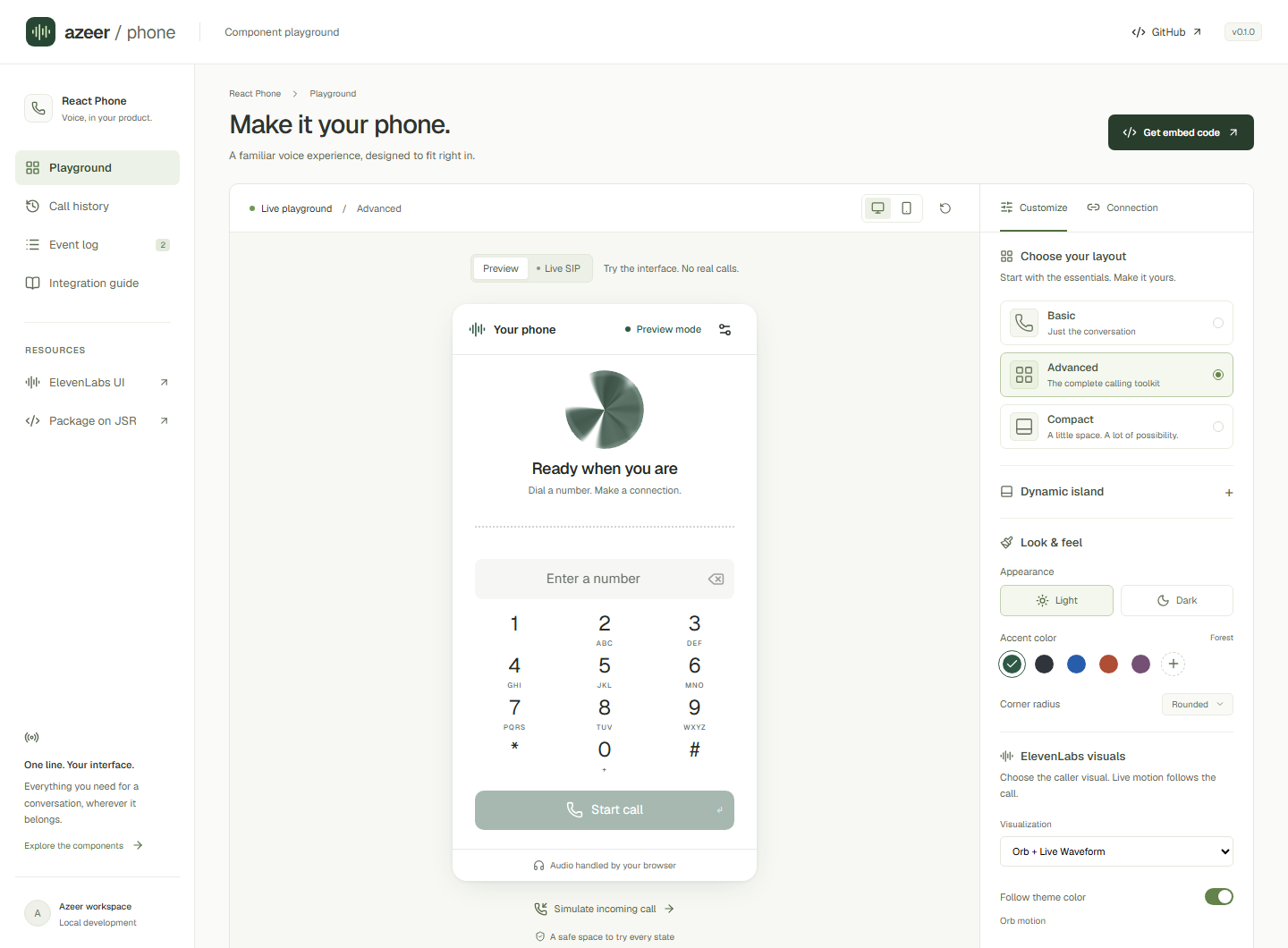
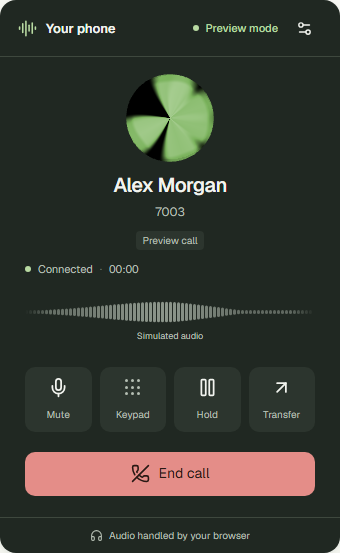
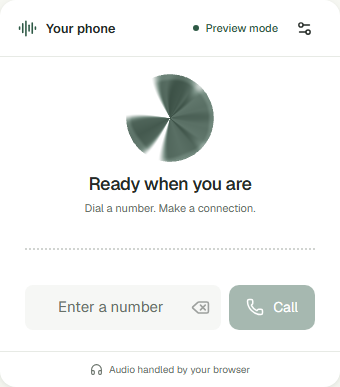
Screenshots use simulated calls. The hosted playground opens in Preview mode; switch to Live SIP to connect an account.
| Calling | Interface | Integration |
|---|---|---|
| Incoming / outgoing audio | Basic, advanced, compact presets | React 19 + TypeScript |
| Mute, hold/resume, DTMF | Dynamic island with six dock positions | Complete components or headless client |
| Blind transfer with REFER outcome handling | Orb, waveform, bars, avatar | Typed lifecycle callbacks |
| Permission, reconnect, and media recovery | Themes, caller identity, tags, branding | Scoped CSS; no Tailwind setup |
| Manual, prefilled, or automatic dialing | Configurable tones, controls, motion | MIT; published as source on JSR |
One audio call per client. A second INVITE receives 486 Busy Here. Transfer needs PBX REFER support. Attended transfer, conferencing, recording, and emergency calling are outside this release.
Requires React 19. Use package version 0.1.2 or later for npm-compatible installs with strict TypeScript declarations.
npx jsr add @azeer-ui-widget/react-phoneimport { WebPhone, type SipConfig } from "@azeer-ui-widget/react-phone";
// Supply a stable config from your sign-in flow. Keep credentials in memory.
export function SupportPhone({ config }: { config: SipConfig }) {
return (
<WebPhone
config={config}
autoConnect
preset="advanced"
theme={{ appearance: "dark", accent: "#91edc2" }}
visualization={{ type: "orb" }}
onAnswered={(call) => console.info("Answered", call.id)}
onDisconnected={(call) => console.info("Ended", call.endReason)}
/>
);
}autoConnect defaults to false. Memoize config or keep it in state: replacing it intentionally reconnects. Use a client component in SSR frameworks. Microphone access is requested on dial/answer; permission denial and blocked audio have recovery UI. No ElevenLabs API key is needed.
Complete setup · SIP configuration
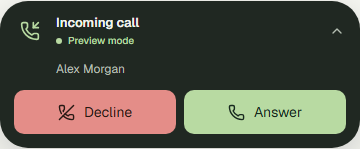
import { WebPhoneIsland } from "@azeer-ui-widget/react-phone";

<WebPhoneIsland
  config={config}
  autoConnect
  placement="bottom-right"
  scope="window"
  offset={20}
  incomingBehavior="notify"
  visualization={{ type: "orb" }}
/>;| Incoming behavior | Result |
|---|---|
expand |
Open the full phone on a new incoming call (default) |
notify |
Show compact caller, Answer, and Decline controls |
manual |
Keep the island collapsed; user opens it to answer |
Connection status stays visible. Collapsing never disconnects or ends a call. Use scope="container" inside a positioned parent with a height. Placement supports top/bottom × left/center/right. Focus remains with the user unless focusOnIncoming is enabled.
Positioning, controlled expansion, and behavior options
// Prefill only; the user still presses Call.
<WebPhone config={config} autoConnect defaultNumber="7003" />

// One attempt after registration. A new key intentionally permits a new attempt.
<WebPhone
  config={config}
  autoConnect
  defaultNumber="7003"
  autoDial
  autoDialKey="support-request-42"
/>
Each destination/key gets one attempt per mounted widget and client. Reconnects, rerenders, hangup, and microphone denial do not redial. Busy-line requests are skipped. Unmounting resets this scope. Calling contract
flowchart LR
  Host[Your React app] --> Provider[PhoneProvider]
  Provider --> UI[Widget / Island / Custom controls]
  Provider --> Client[PhoneClient]
  Client <-->|SIP over WSS| PBX[Your PBX]
  Client <-->|WebRTC audio| Media[Microphone and remote audio]
  Media --> Visuals[ElevenLabs Orb / Waveform / Bars]
  Client --> Events[Typed callbacks]
  Events --> Host
| Customize | Read |
|---|---|
| Caller name, number, avatar, tags, render slots, colors | Themes & identity |
| Orb colors/speed, waveform mode/source, frequency bars | Audio visuals |
| Independent dialer, transfer control, headless state | Composable API |
| Ringing, keypad feedback, branding, drag, reduced motion | Sound & motion |
| Answered/disconnected events and state diagrams | Lifecycle |
| Microphone, autoplay, iframe, network, and device failures | Recovery |
Requires Node.js 24+ for the documentation toolchain and a current WebRTC browser.
npm ci
npm run dev                 # React playground at http://127.0.0.1:5173
npm ci --prefix docs
npm run docs:dev            # Starlight at http://localhost:4321/react-phone/
For live testing, enter the SIP username and password in Live SIP → Connection. Credentials are held in memory and excluded from generated embed code. Do not put SIP passwords in public build-time environment variables. Connection setup explains how to supply your own account; all Live SIP fields start empty.
npm run package:build       # Refresh publish/ after changing src/
npm run check
npx playwright install chromium
npm run test:e2e
npm run site:build
npx jsr publish --dry-run --allow-dirty
The suite covers lifecycle races, two actual JsSIP clients with local WebRTC audio, desktop/mobile UI, and accessibility. Production PBX routing, TURN, and transfers still need an end-to-end call on your deployment. See VALIDATION.md.
The supplied Publish workflow runs npx jsr publish on pushes to main, using the linked repository's OIDC identity. Edit src/ and run npm run package:build; commit the generated JSX-free TypeScript in publish/ so JSR's npm bridge can emit standard JavaScript. CI checks that it matches the source. Keep package.json and jsr.json versions aligned; JSR versions are immutable. The Pages workflow deploys Starlight and the playground together. Release workflow and site build
MIT © 2026 Owais. ElevenLabs UI supplies the adapted audio visuals; JsSIP handles SIP/WebRTC. react-softphone informed the architecture. Full attribution and adaptation details are in THIRD_PARTY_NOTICES.md.