

A CKAN extension for managing and tracking support tickets ("issues") from within the CKAN interface.
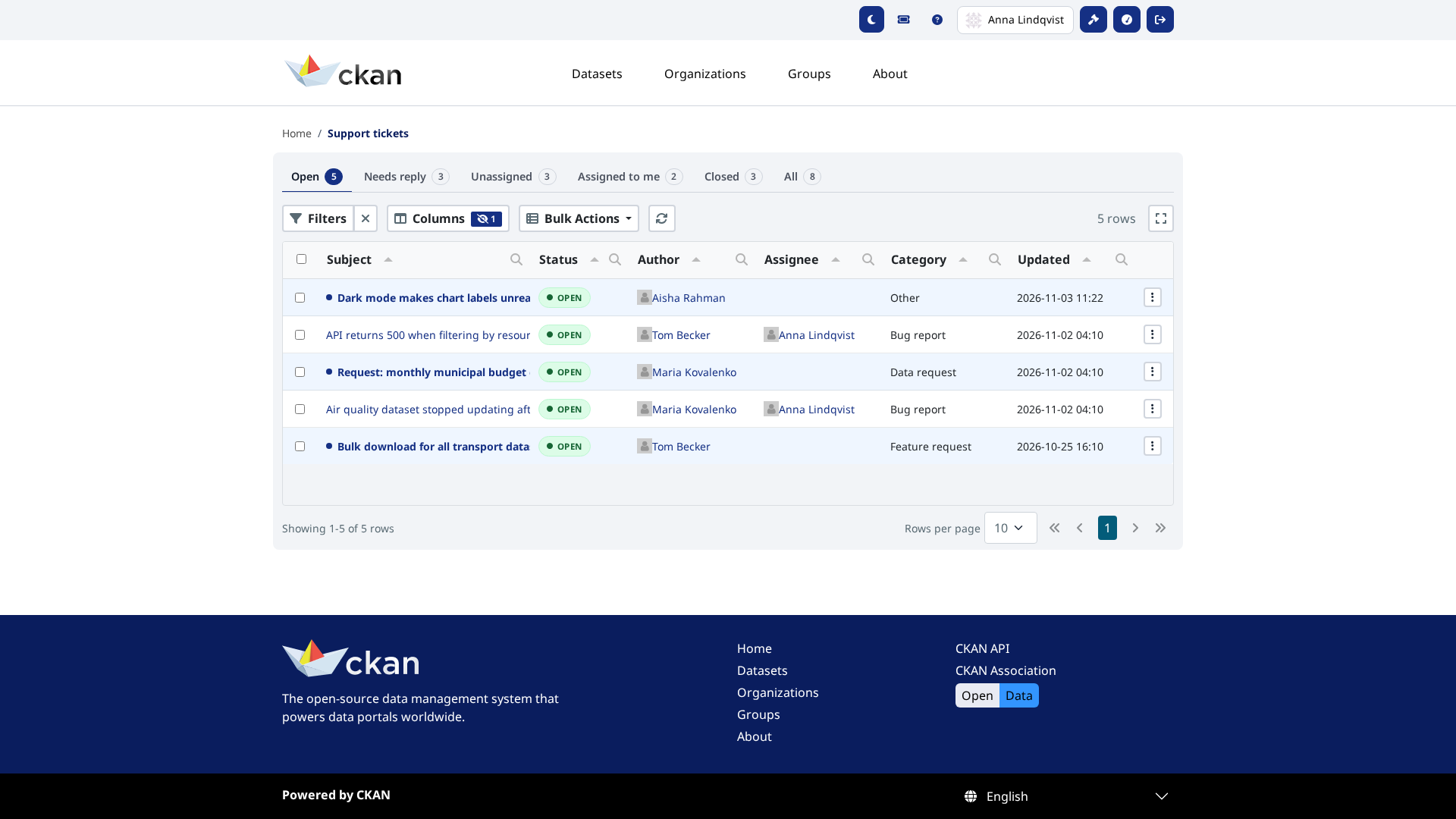
It provides:
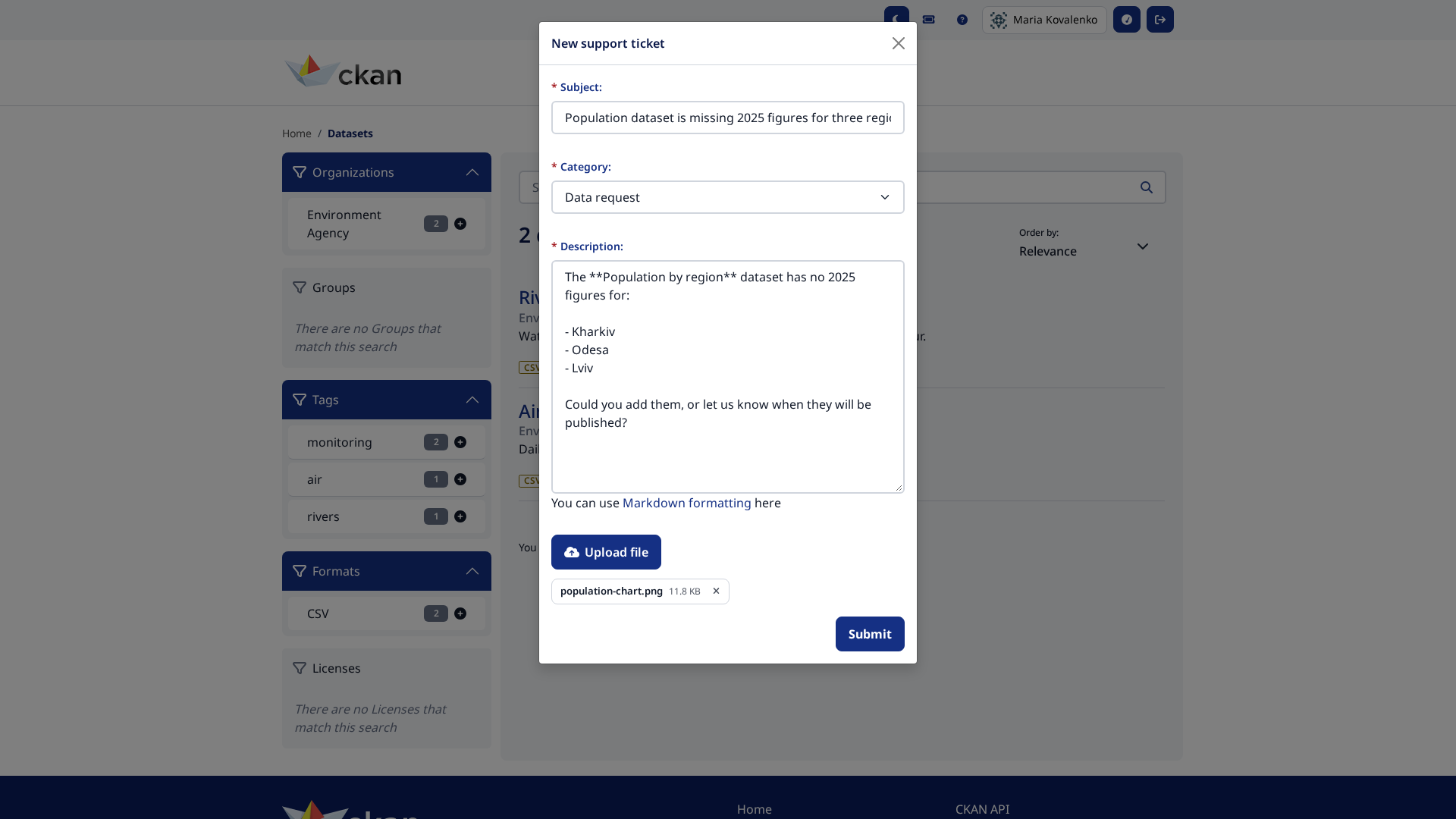
- A support ticket modal available from the account navigation, so any logged-in user can open a ticket with a subject, category and description.
- A "My Support Requests" page where users can follow up on their own tickets and exchange messages with staff.
- A sysadmin dashboard (
/issues/admin) listing every ticket, with bulk actions (close / reopen / remove), per-ticket assignment and a threaded conversation view. Open tickets where the author has the last word are highlighted as unread and collected in a Needs reply tab. - Email notifications (new ticket → sysadmins, new reply / status change →
ticket author, assignment → assignee), each toggleable via config. Mails
are sent from a background job, so a CKAN worker must be running
(
ckan jobs worker). Setckanext.issues.mail_queueto send them from a dedicated queue (ckan jobs worker <queue>).
 |
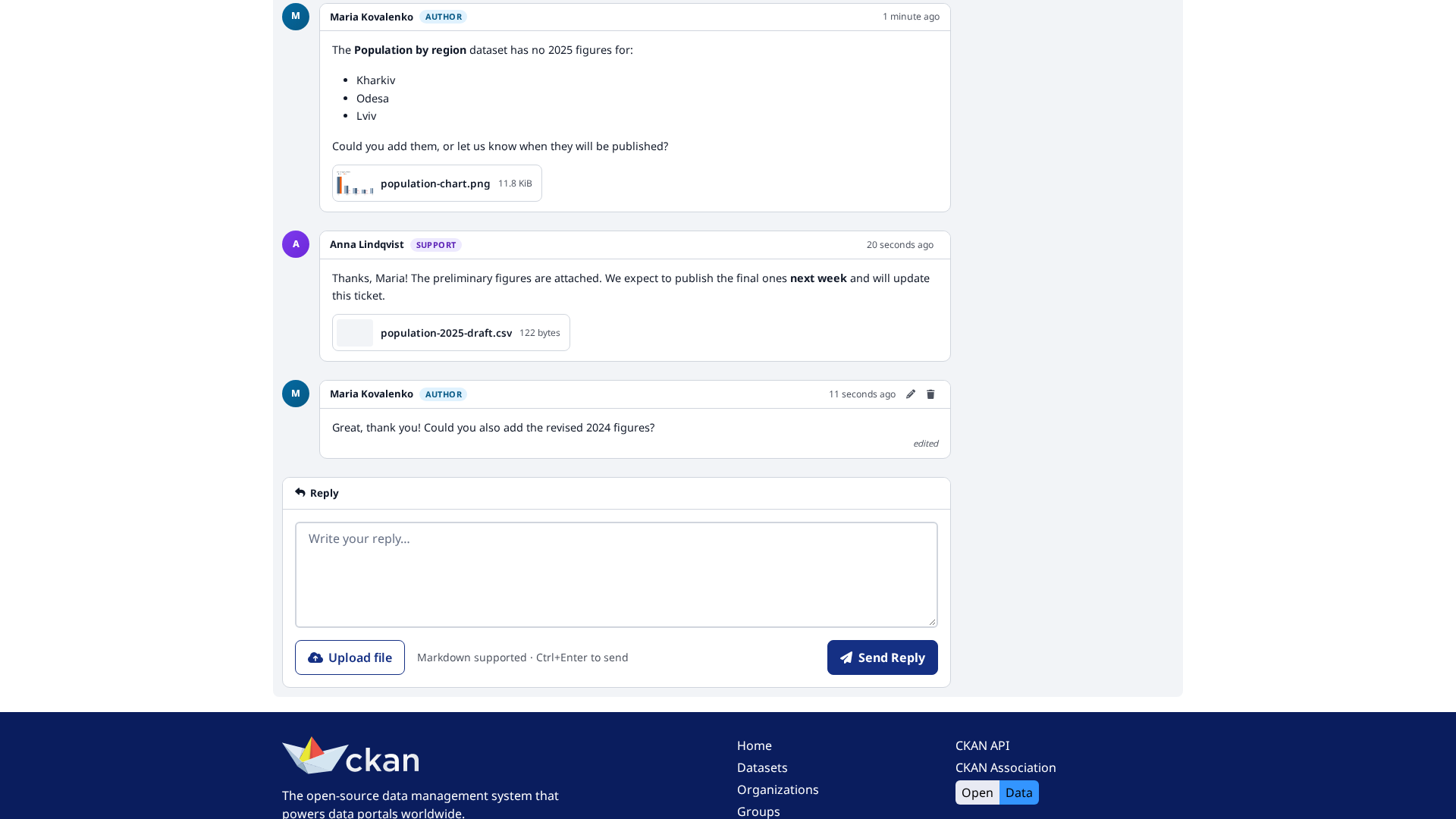 |
| Opening a ticket, with an attachment | The ticket conversation |
Compatibility with core CKAN versions:
| CKAN version | Compatible? |
|---|---|
| 2.10 | yes |
| 2.11 | yes |
| 2.12 | yes |
Requires ckanext-tables to be installed and enabled, and a running CKAN
background worker (ckan jobs worker, i.e. Redis) for email notifications.
-
Activate your CKAN virtual environment, for example:
. /usr/lib/ckan/default/bin/activate
-
Clone the source and install it on the virtualenv
git clone https://github.com/DataShades/ckanext-issues.git cd ckanext-issues pip install -e .
This also pulls in
ckanext-tables. -
Add
tables issuesto theckan.pluginssetting in your CKAN config file (issuesmust be listed aftertables). -
Run the database migrations:
ckan db upgrade -p issues
-
Restart CKAN.
Users can attach files to a new ticket and to replies when
ckanext-files is installed and
its files plugin is enabled. Without it, ckanext-issues works as before and
the upload controls are hidden.
-
Install the extra:
pip install -e '.[files]'
-
Add
filestockan.plugins. -
Configure a storage for the files. On CKAN 2.12+ storages are part of core (
ckan.files.storage.*); on 2.10 and 2.11 they come from ckanext-files (ckanext.files.storage.*) and need its migrations (ckan db upgrade -p files). For example, on 2.10/2.11:ckanext.files.storage.issues.type = files:fs ckanext.files.storage.issues.path = /var/lib/ckan/issues ckanext.files.storage.issues.initialize = true ckanext.issues.attachments.storage = issues
The storage must be private: attachments are downloaded through
/files/download/<id>, which only lets in the ticket author and sysadmins. A public storage, or one that isn't configured, turns uploads off (the reason is logged).With the development server (
ckan run), keep the storage outside the folder of your config file: the reloader watches that folder and restarts when a.zipis written there, cutting the upload off. -
Limit the request size in your web server (e.g. nginx
client_max_body_size) or with Flask'sMAX_CONTENT_LENGTH. The attachment limits are checked after the request has been received, so without this a user can still send very large requests.
Each file belongs to what it was attached to (the ticket for the opening text, otherwise the reply), and is deleted together with it when the ticket or reply is deleted through the API.
Purging a user deletes their tickets and replies (including replies by others on their tickets) at the database level, and their files are left behind. Remove such orphaned files with:
ckan issues clean-attachments [--dry-run]
Run it after purging users, or on a schedule, e.g. a nightly cron job:
0 3 * * * ckan -c /etc/ckan/ckan.ini issues clean-attachments
Through the action API (issues_ticket_create, issues_message_create),
files go in the attachments field of a multipart request. CKAN's API keeps
one file per field name, so API calls can attach one file each.
The limits (ckanext.issues.attachments.max_files, max_size,
allowed_types) are listed in config_declaration.yaml.
See the available config options in config_declaration.yaml.
git clone https://github.com/DataShades/ckanext-issues.git
cd ckanext-issues
pip install -e '.[test]'
To run the tests, do:
pytest --ckan-ini=test.ini