
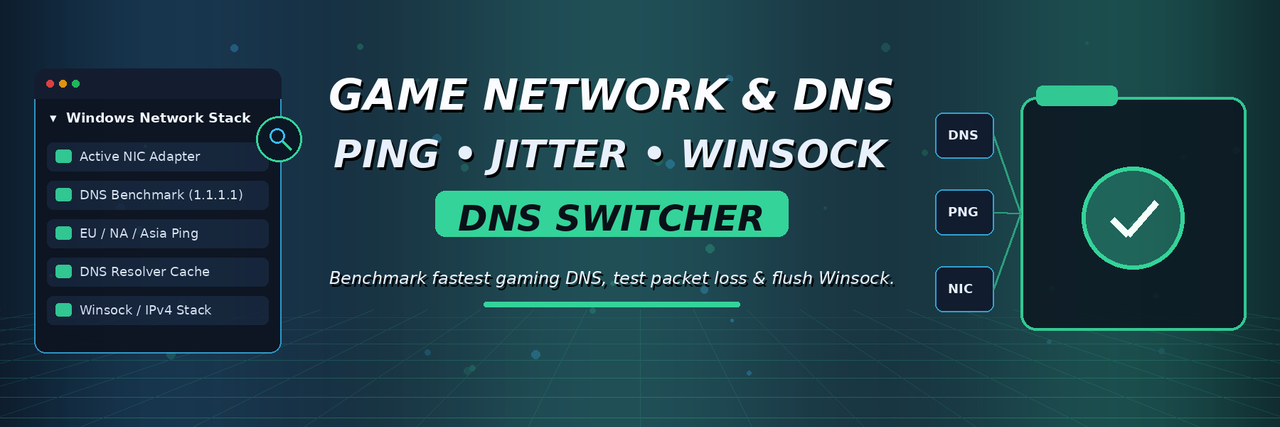


Rubberbanding, matchmaking timeouts, or high ping in online shooters and MMOs? Slow ISP DNS resolvers and stale Windows Winsock caches frequently cause connection drops. Benchmark the fastest DNS and test packet loss in one click.
NetPing DNS & Game Server Tester focuses on diagnosing client-side network bottlenecks on Windows: measuring real-time ping and jitter across EU/NA/Asia endpoints, benchmarking Cloudflare (1.1.1.1), Google (8.8.8.8), and Quad9 (9.9.9.9), and flushing stale DNS/Winsock states.
This project is aimed at Windows 10/11 PC gamers troubleshooting matchmaking errors, DNS lookup delays, and jitter—not VPN tunneling or altering game packets.
| Symptom / Error | Likely Cause | Recommended Check |
|---|---|---|
| Matchmaking or login servers fail to connect | ISP default DNS failing to resolve game authentication endpoints | Benchmark and switch to Cloudflare (1.1.1.1) or Google (8.8.8.8) |
| Sudden ping spikes and rubberbanding on Wi-Fi | Local jitter or background Windows network adapter power-saving | Measure min/avg/max ping and jitter before blaming game servers |
| Connection fails after using a VPN or proxy | Leftover proxy settings or corrupted Windows Winsock catalog | Flush DNS cache and reset Winsock (netsh winsock reset) cleanly |
| Unsure whether lag is your ISP or a regional game outage | No visibility into packet loss vs. remote server status | Run a multi-region ICMP/TCP latency check to isolate local packet loss |
Download NetPingSwitcher.zip — Latest GitHub Release (Windows x64)
View All Releases & Changelog · Report an Issue
- Benchmarks response times of Cloudflare (
1.1.1.1), Google (8.8.8.8), Quad9 (9.9.9.9), and your current ISP DNS. - Measures average ping, jitter, and packet loss across major EU, North America, and Asia regions.
- Flushes Windows DNS resolver cache (
ipconfig /flushdns) and resets Winsock cleanly. - Allows one-click switching back to automatic DHCP DNS settings at any time.
[NetPingSwitcher] Testing active network adapter & DNS latency...
[OK]   Active Adapter   : Intel(R) Ethernet Controller I225-V (Link: 1000 Mbps)
[INFO] Current DNS      : 192.168.1.1 (ISP Default - Avg: 34 ms)
[OK]   Cloudflare 1.1.1.1: Avg 9 ms  | Jitter: 1 ms | Loss: 0%
[OK]   Google 8.8.8.8   : Avg 12 ms | Jitter: 1 ms | Loss: 0%
[OK]   EU Central Ping  : Avg 24 ms | Jitter: 2 ms | Loss: 0%
The release ZIP is named NetPingSwitcher.zip; the Windows executable inside is named NetPingSwitcher.exe.
- Close Online Multiplayer Games before moving or checking files.
- Click Download NetPingSwitcher.zip above.
- Right-click the downloaded archive and choose Extract All.
- Open the extracted folder and run
NetPingSwitcher.exe. - Review the reported locations and status checks before making any changes to your files.
- Restart Online Multiplayer Games and verify behavior after applying any recommended fixes.
Requirements: Windows 10 or 11 (64-bit) with an active Ethernet or Wi-Fi network adapter.
- Read-only & standard user permissions:
NetPingSwitcher.exeruns without administrator rights and does not modify game binaries, system registry keys, or Windows Defender settings. - Windows SmartScreen: Because this is an independent open-source utility without a commercial EV code-signing certificate, Windows SmartScreen may show "Windows protected your PC" on first launch. Click More info → Run anyway after verifying the release checksum on the Releases page.
Default router/ISP DNS servers often suffer from high lookup latency or stale records when games deploy hotfixes.
Disconnecting a VPN abruptly can leave modified DNS or Winsock entries that block anti-cheat and matchmaking services.
Testing jitter and packet loss locally tells you immediately whether your Ethernet/Wi-Fi link is dropping packets.
Windows 11 buries IPv4/IPv6 DNS settings deep inside Network & Internet adapter properties.
Windows manages active DNS servers and Winsock catalogs via system network interfaces:
HKLM\SYSTEM\CurrentControlSet\Services\Tcpip\Parameters\Interfaces\
Inside that structure, key files and subdirectories typically look like this:
Windows Network Diagnostics:
├── Active Physical NIC (Ethernet / Wi-Fi IPv4 & IPv6)
├── DNS Resolver Cache (ipconfig /displaydns)
└── Winsock Catalog (netsh winsock show catalog)
If you use a local Pi-hole or corporate VPN, remember to restore Automatic (DHCP) DNS before reconnecting to private networks.
If your issue still persists, work through these checks in order:
- Prefer wired Ethernet over Wi-Fi for competitive games. Eliminates wireless interference and packet jitter.
- Benchmark Cloudflare, Google, and Quad9 DNS. Select the resolver with the lowest average latency and zero packet loss.
- Flush Windows DNS cache after router or VPN changes. Clears outdated IP mappings for game login servers.
- Check for background downloads (Steam, Windows Update, OneDrive). Active uploads saturate home router buffers and spike ping.
- Revert to Automatic (DHCP) DNS anytime. Keep one-click rollback to your router's default DNS.
Record your existing custom DNS addresses (if any) before switching resolvers.
A clear network report displays active NIC link speed, current DNS latency vs. Cloudflare/Google/Quad9, regional ping/jitter, and packet loss percentage.
Does changing DNS lower my in-game ping?
DNS speeds up server lookup, matchmaking, and login connections, and can improve CDN routing—though in-match ping depends on your ISP's route to the game server.
Can I switch back to my automatic ISP/router DNS?
Yes—you can restore Automatic (DHCP) DNS with a single click.
Does this modify game files or act as a VPN?
No. It only configures standard Windows network adapter DNS settings and flushes local caches.
- WinTimer-LatencyDoctor — Windows gaming latency, Ultimate Performance & timer check
- Win11-GamingDebloatGuard — Windows 11 gaming optimizer & background process cleaner
- SteamJunction-LibraryMover — Move Steam/Epic games between SSDs via NTFS Junctions
- WWHT-VoiceCheck — We Were Here Tomorrow microphone & Vivox connection check
Independent open-source Windows utility. Not affiliated with Cloudflare, Google, Quad9, or Microsoft.