





Simplify.Web.Swagger is a package which provides Swagger generation for Simplify.Web web-framework controllers.
- Add
Simplify.Web.Swagger,Swashbuckle.AspNetCore.SwaggerGenandSwashbuckle.AspNetCore.SwaggerUIpackages to your project
<PackageReference Include="Simplify.Web.Swagger" Version="1.0.*" />
<PackageReference Include="Swashbuckle.AspNetCore.SwaggerGen" Version="10.2.*" />
<PackageReference Include="Swashbuckle.AspNetCore.SwaggerUI" Version="10.2.*" />- Add
AddSimplifyWebSwaggerinAddSwaggerGenregistration andSimplify.Webcontrollers will be scanned during Swagger generation process.
var builder = WebApplication.CreateBuilder(args);

builder.Services.AddEndpointsApiExplorer()
.AddSwaggerGen(x => x.AddSimplifyWebSwagger());- Use Swagger as in regular ASP.NET Core project
var app = builder.Build();

app.UseSwagger();
app.UseSwaggerUI();

app.UseSimplifyWeb();

await app.RunAsync();- Add controller Swagger attributes (if needed)
[Get("/api/v1/users/{id}")]
[ApiVersion("1.0")]
[ProducesResponse(StatusCodes.Status200OK, "application/json")]
[ProducesResponse(StatusCodes.Status500InternalServerError)]
public class GetController : Controller2
{
 ...
}- After application started go to http://localhost:5000/swagger/index.html or http://localhost:5000/swagger/v1/swagger.json to see generated Swagger
When your controllers use authorization ([Authorize]), Simplify.Web.Swagger automatically adds security requirements to the corresponding operations using all security schemes registered via AddSecurityDefinition — no extra configuration needed:
x.AddSecurityDefinition("Bearer", new OpenApiSecurityScheme { ... });
x.AddSimplifyWebSwagger(); // Bearer requirement is added automatically
To restrict to a specific scheme name (e.g. when you have multiple definitions but want only one applied), set SecuritySchemeName explicitly:
x.AddSimplifyWebSwagger(new SimplifyWebSwaggerArgs
{
	SecuritySchemeName = "Bearer"
});By default, Swagger schema property names follow the System.Text.Json default casing (PascalCase). To use camelCase (matching JsonSerializerDefaults.Web), register a custom ISerializerDataContractResolver:
builder.Services
	.AddSingleton<ISerializerDataContractResolver>(_ =>
		new JsonSerializerDataContractResolver(
			new JsonSerializerOptions(JsonSerializerDefaults.Web)
		))
	.AddEndpointsApiExplorer()
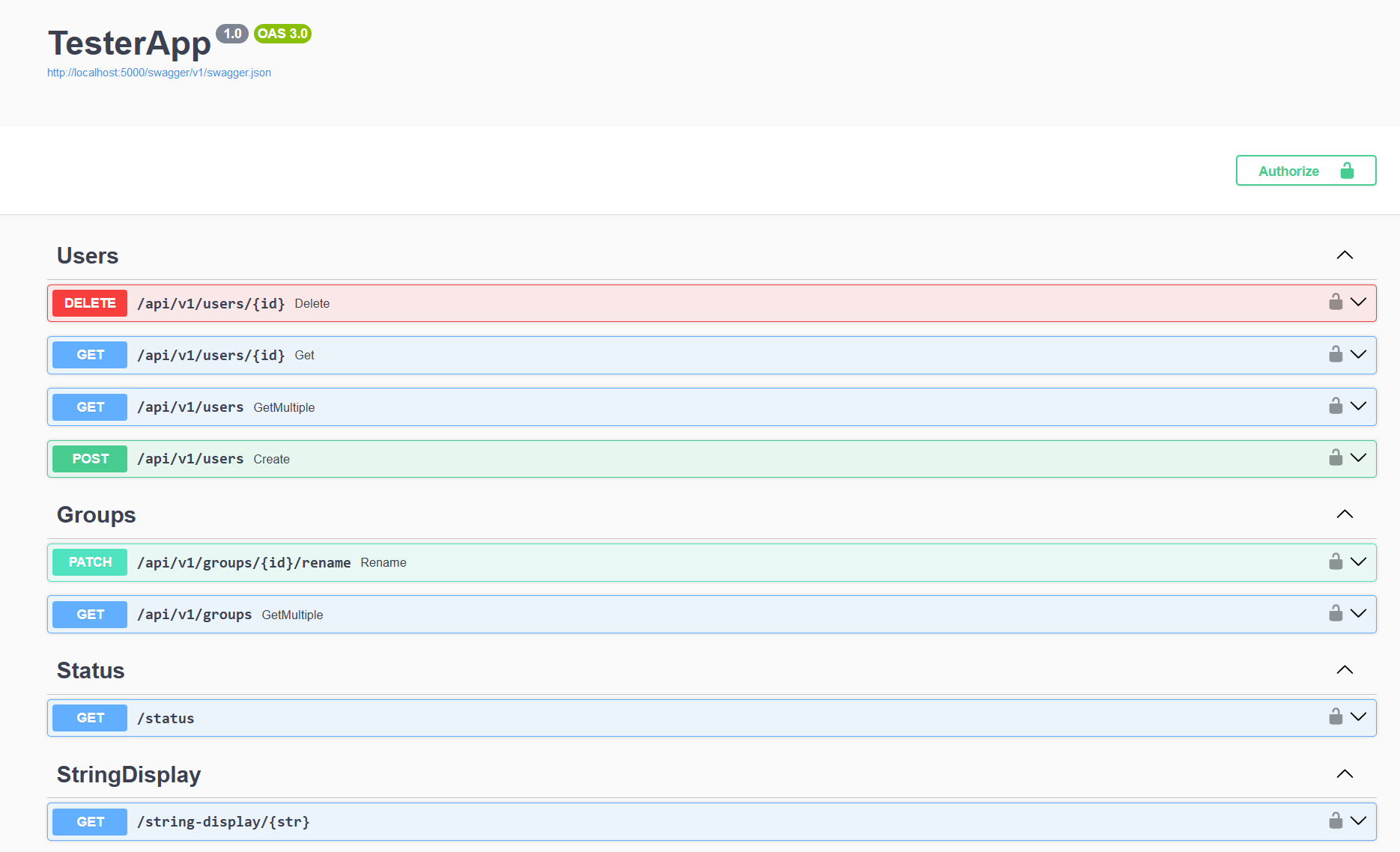
.AddSwaggerGen(x => x.AddSimplifyWebSwagger());Below is the example of Swagger generated by Simplify.Web.Swagger:
There are many ways in which you can participate in the project. Like most open-source software projects, contributing code is just one of many outlets where you can help improve. Some of the things that you could help out with are:
- Documentation (both code and features)
- Bug reports
- Bug fixes
- Feature requests
- Feature implementations
- Test coverage
- Code quality
- Sample applications
Additional extensions to Simplify.Web live in their own repositories on GitHub. For example:
- Simplify.Web.Json - JSON serialization/deserialization
- Simplify.Web.Postman - Postman collection and environment generation
- Simplify.Web.Multipart - multipart form model binder
- Simplify.Web.MessageBox - non-interactive server side message box
- Simplify.Web.Templates - .NET projects templates
Licensed under the GNU Lesser General Public License